DreamSetGo has a large catalogue of premium experiences, but travellers often need help deciding what fits their trip. They ask questions about destinations, budgets, events, itineraries and experiences.

AI Product · DreamSetGo
Scout
AI Concierge
DreamSetGo's AI travel concierge for sports, events and holidays. Scout helps travellers discover experiences, compare options, plan trips and get answers using DreamSetGo's catalogue.
6 weeks
From concept to shipped MVP
4
Production skills with open Q&A
40+
Components in the AGUI library
1
Designer across the full experience
The Situation and the Opportunity
Travel planning starts with questions
"Which destination is better for my family?"
"Is this Grand Prix worth the extra cost?"
"How do I make the most of five days in Europe?"
"What's the best experience for my budget and interests?"
Search and filters work well when the traveller knows what they want. They are less useful when they need guidance.
Scout was designed to help travellers make those decisions using DreamSetGo's catalogue.
The challenge isn't discovery.
It's decision-making.
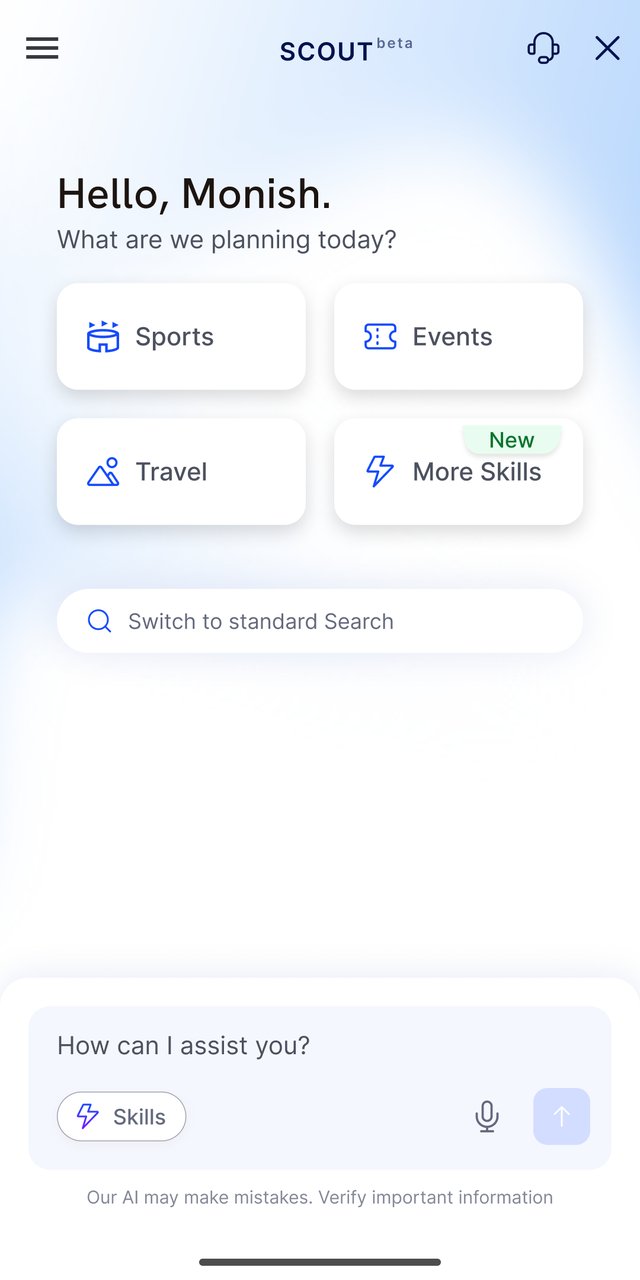
Scout checks DreamSetGo's catalogue first.
The Research
Where travel planning breaks down
We mapped the traveller journey and found seven recurring problems.
01
Too many choices
Travellers struggle to narrow down the right option.
02
Limited curation
Listings leave travellers to compare and shortlist on their own.
03
Limited context
Recommendations don't account well for budget, dates or travel group.
04
Fragmented booking
Discovery and booking happen across different places.
05
No continuity
Travellers often have to repeat their requirements on each visit.
06
Scattered decisions
Trip planning happens across tabs, websites and conversations.
07
Limited contextual help
Support often lacks the context of the page or product being viewed.
The opportunity for Scout
The Approach
Build Scout around the full travel journey
The goal was to take travellers from their first question to a confident decision and booking.
Scout was designed to work across the whole journey rather than a single step.
Traditional commerce
Browse→
Compare→
Book
Scout
Understand→
Suggest→
Shortlist→
Compare→
Plan→
Decide→
Book
Those extra steps are where Scout earns trust, so a booking lands as a decision someone stands behind.
Five product principles
The journey
From the first question to a confident booking.
Build decision confidence
Help travellers understand their options and trade-offs.
Keep the journey together
Carry context across the conversation.
Curate first
Start with relevant recommendations instead of long lists.
Use DreamSetGo's products
Bring real packages and experiences into the conversation.
Use natural language
Let travellers ask questions in their own words.
Five design rules
The rules that guided design decisions.
01
Conversation first
Start with the traveller's question.
02
Remember context
Don't ask for the same information again.
03
Show information progressively
Reveal detail as the traveller needs it.
04
Support the decision
Help travellers evaluate options and choose.
05
Ask before personalising
Use personal information with clear consent.
The Build
From research to four launch skills
We mapped the traveller journey, identified where AI could help, and defined ten possible features.

Existing problems mapped across the traveller journey.
Each concept was scored on journey coverage and build complexity.
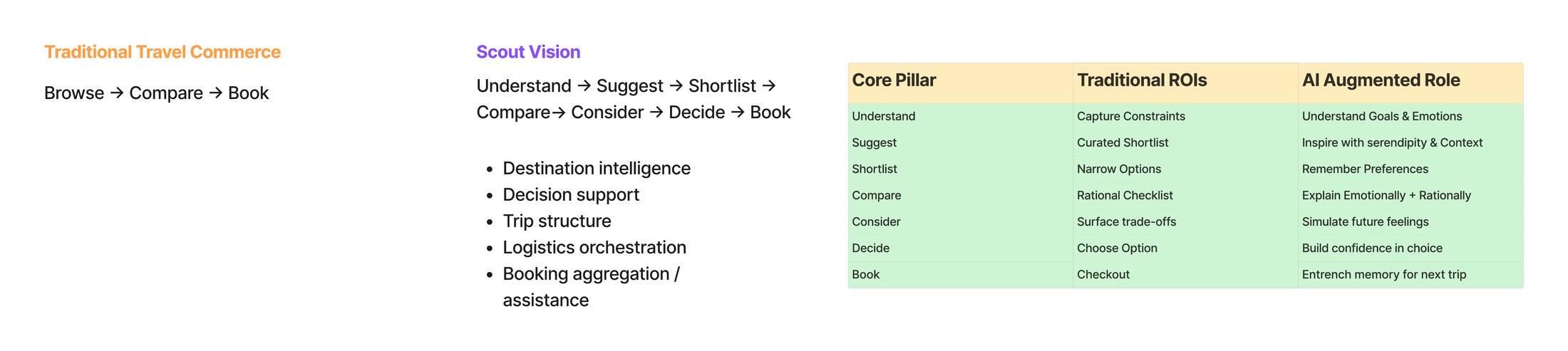
AI opportunities mapped to each stage of the journey.
Four features were prioritised for the six-week MVP.
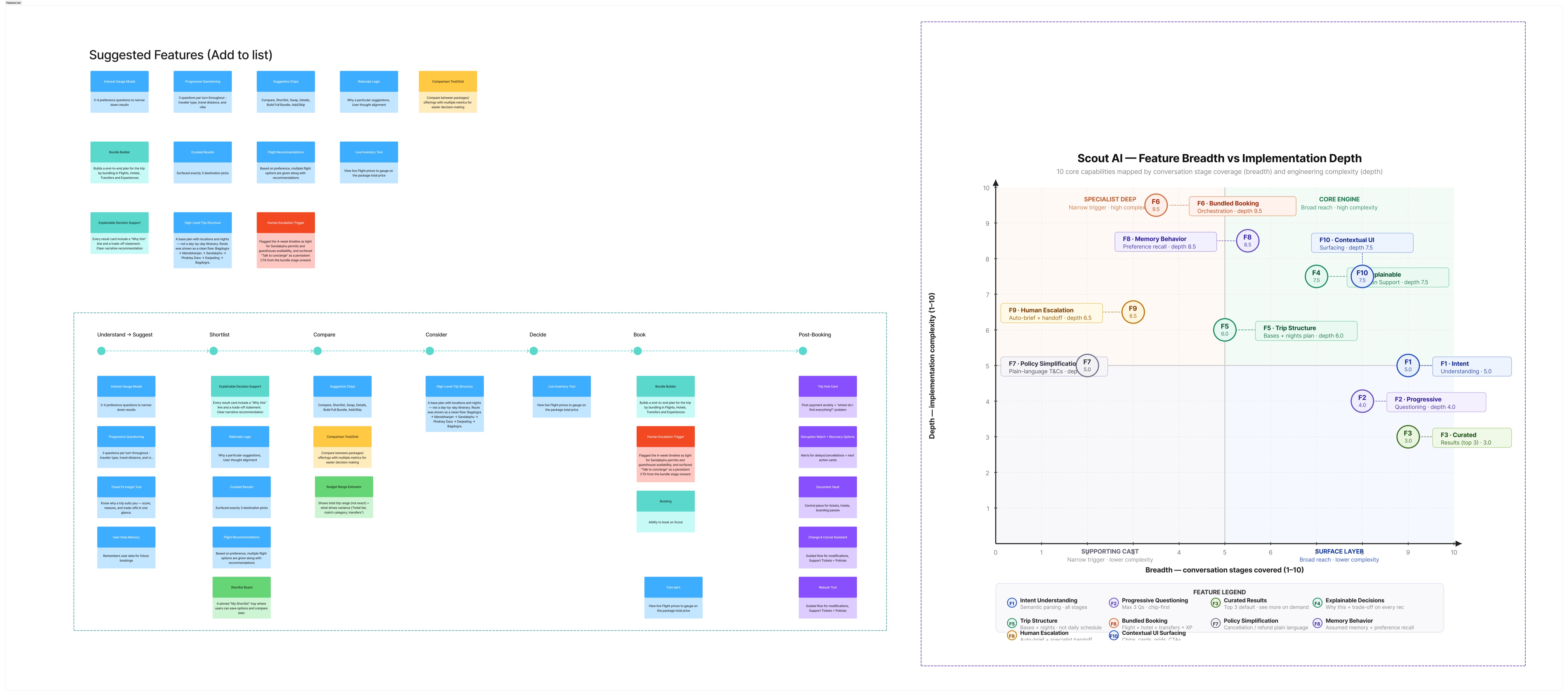
Prioritising concepts by journey coverage and build complexity.
The four launch skills:
- Discover Destinations: turn a broad travel brief into relevant destinations.
- Destination Comparison: compare destinations across cost, travel time, events and experience.
- Best Time to Visit: help travellers choose the right travel window based on season, weather, events and budget.
- Itinerary Builder: create a day-by-day itinerary based on destination, dates and preferences.
The remaining concepts moved to the roadmap.
The Solution
Scout is available throughout the journey
Scout appears in two key places: open-ended discovery on Home and contextual help on product pages.
Where Scout appears
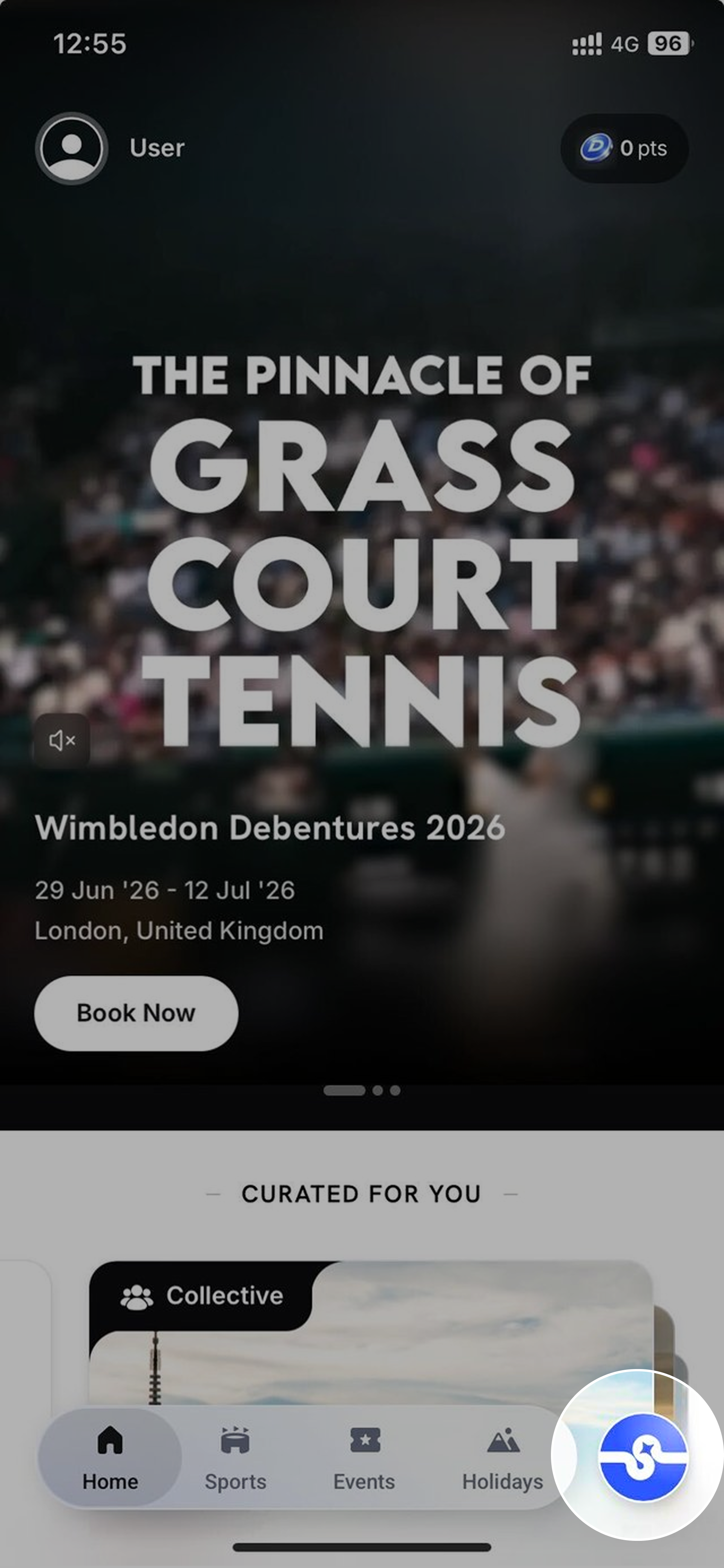
01. Home tab
The Scout orb sits in the bottom navigation, giving travellers direct access to discovery.
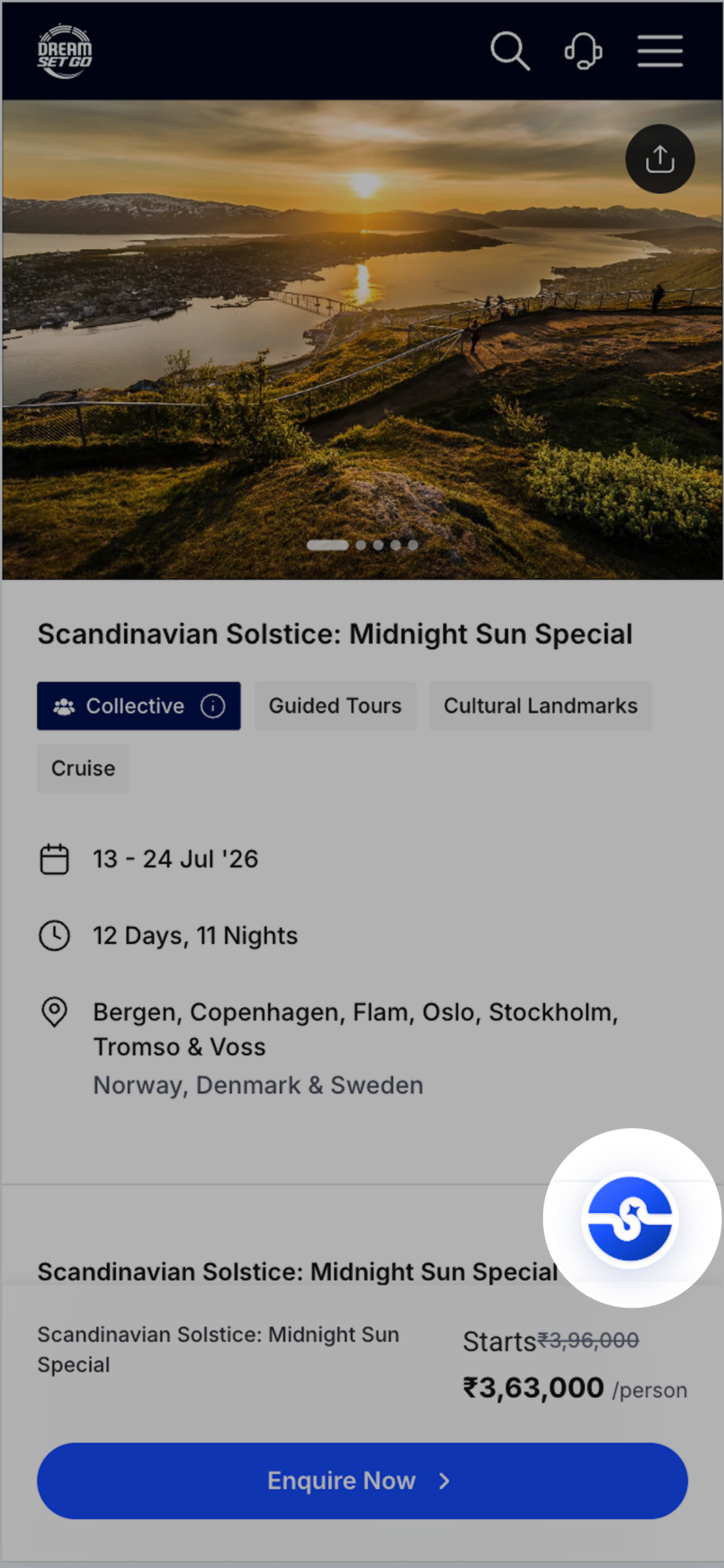
02. Product page
A persistent Scout button stays available while browsing a package.
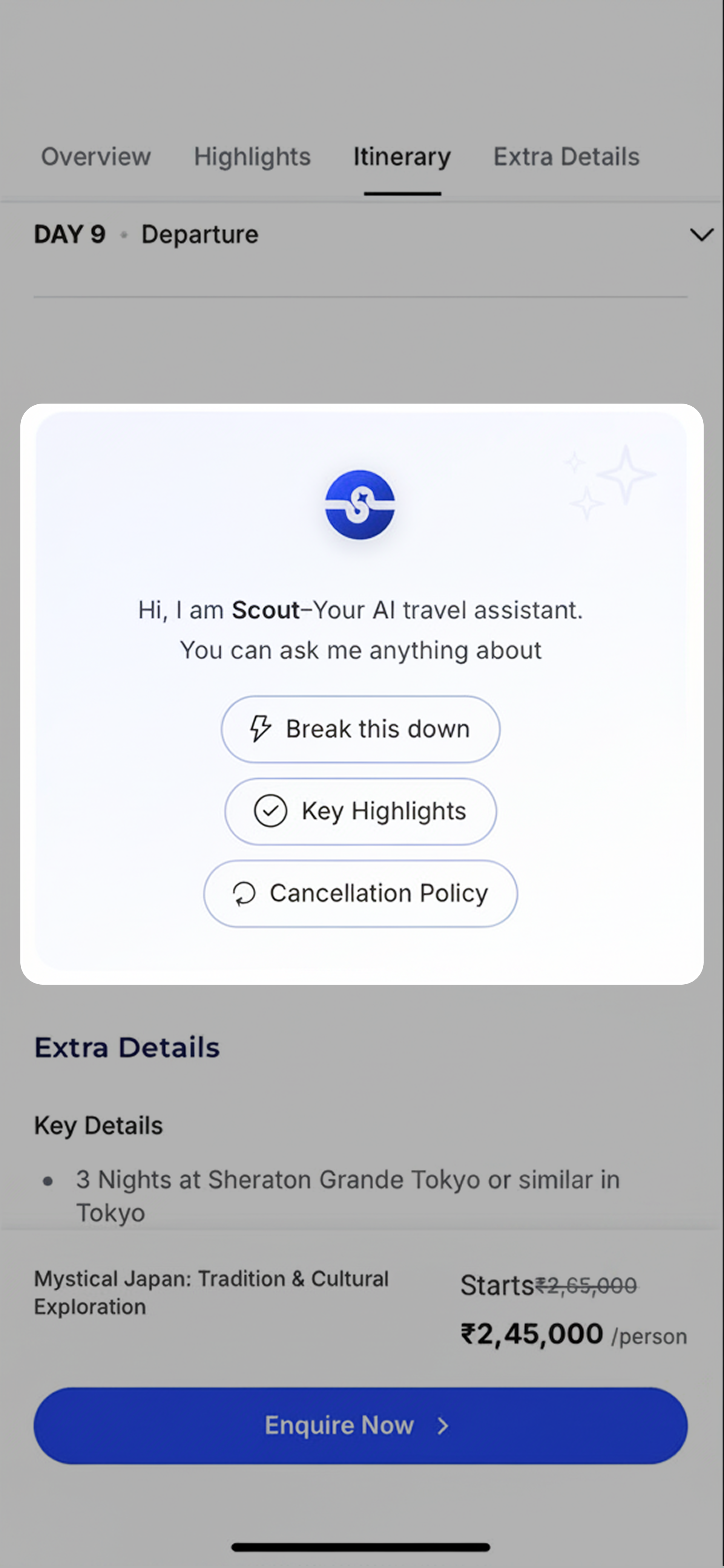
03. In context
Contextual prompts help travellers ask relevant questions about the package they are viewing.
How Scout responds
-
01
Ask
Ask a question in natural language or choose a suggested prompt.
-
02
Understand
Scout identifies the intent and selects the right skill or knowledge source.
-
03
Answer
Responses start with DreamSetGo's catalogue and relevant travel knowledge.
-
04
Continue
Refine the request, explore the product or connect with the DSG team.
Real conversation
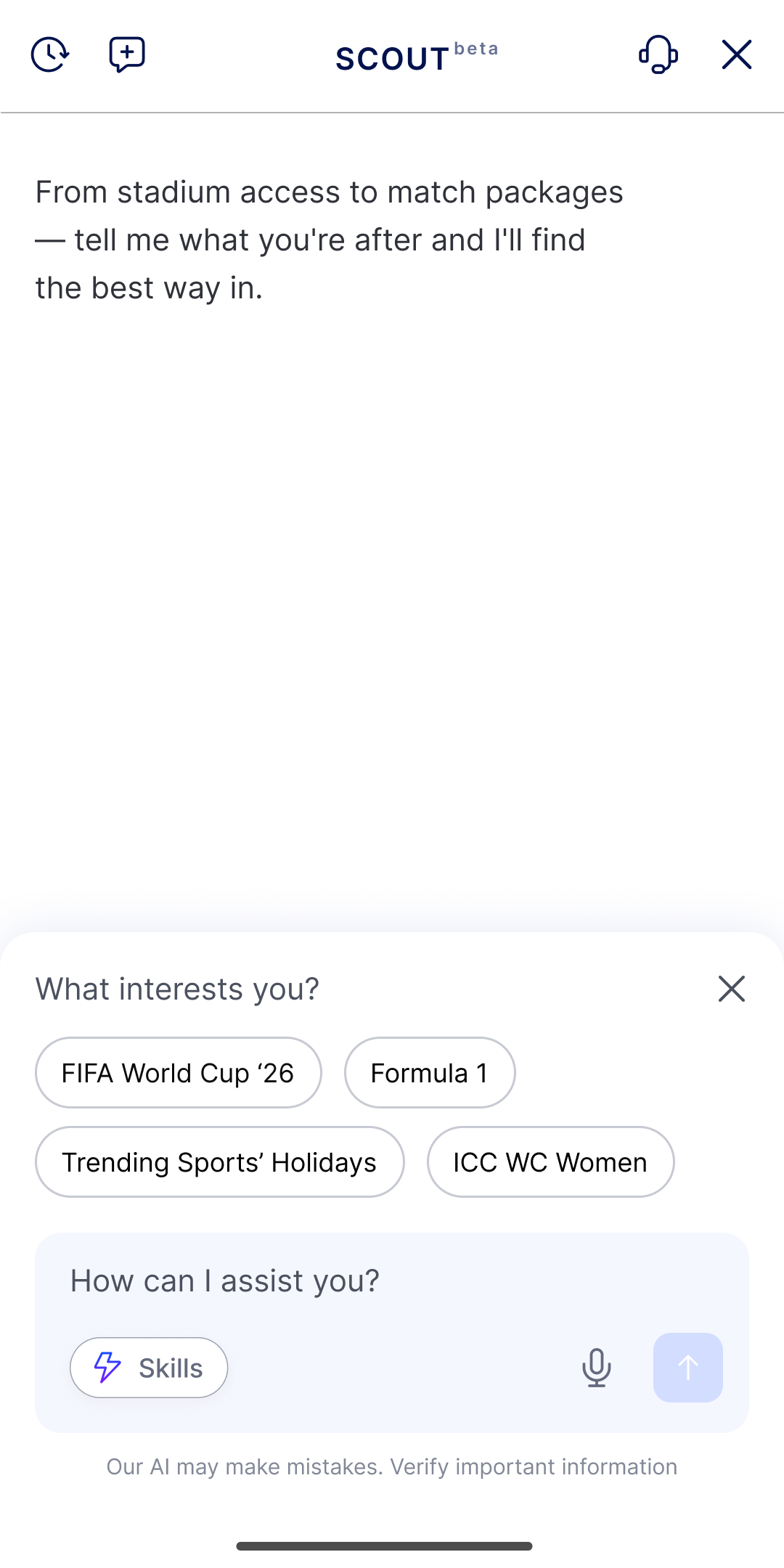
01 · Ask Scout
Travellers can choose a suggested category instead of typing.
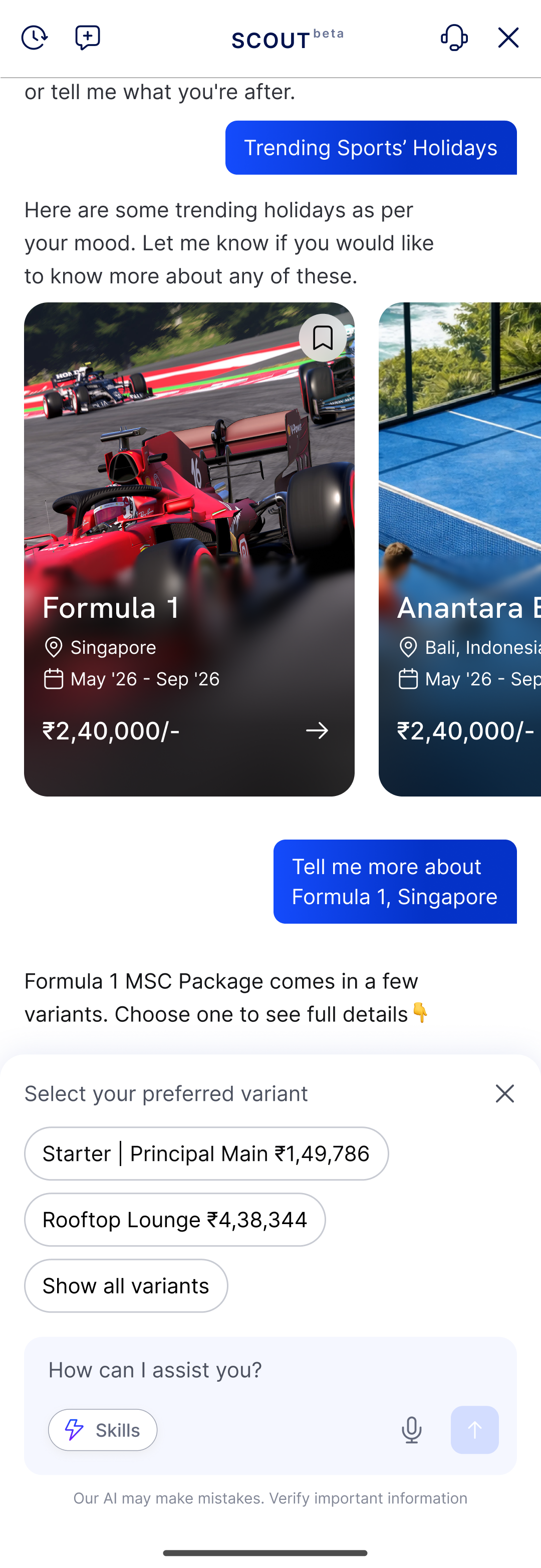
02 · Pick a variant & proceed
Relevant package options appear directly in the conversation.
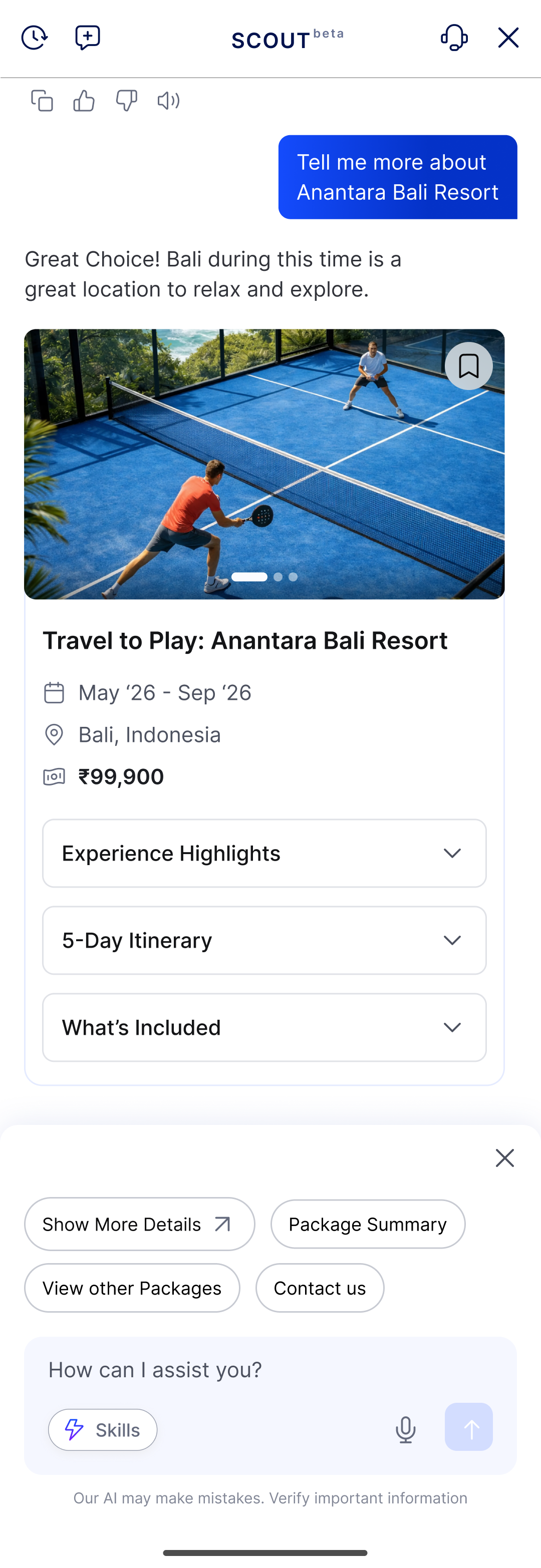
03 · See the real package
Package price, itinerary and inclusions appear inside Scout.
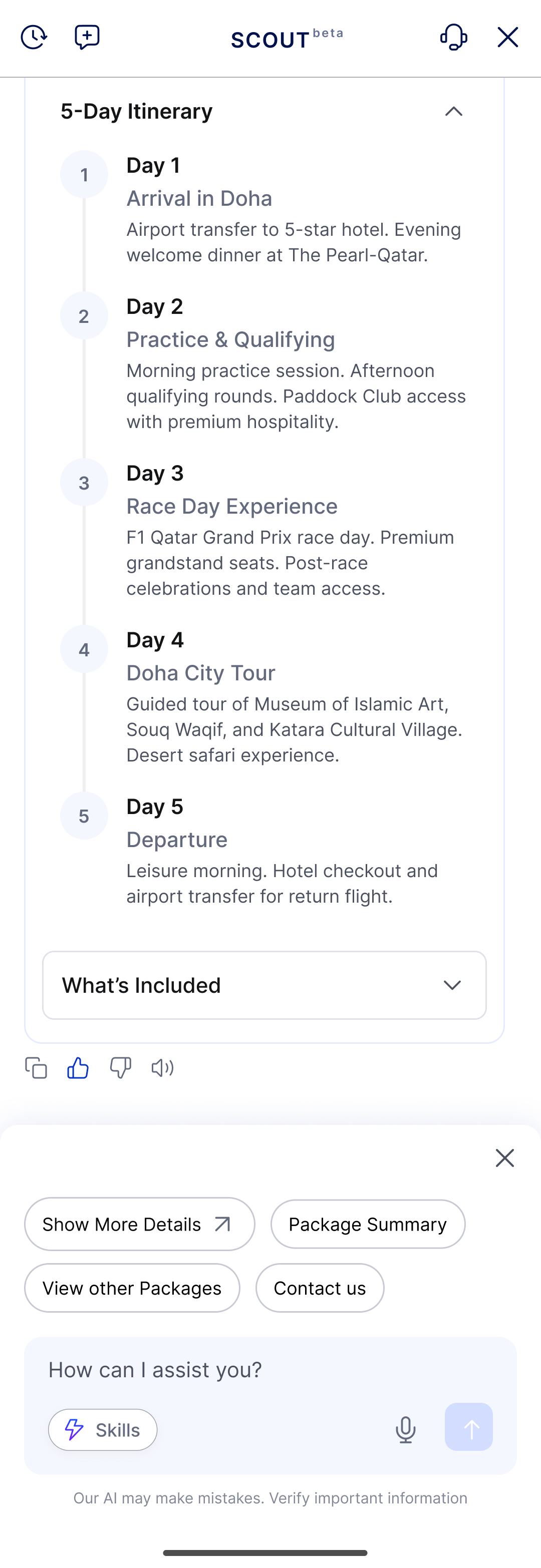
04 · Always a next step
Travellers can expand details or move to actions such as Package Summary and Contact Us.
The Walkthrough
Scout in action
Real captures from the shipped MVP showing two common journeys.
F1 Package → Experiences in Milan
A sports booking that expands into curated Milan experiences and restaurants.
Discover → Tokyo Itinerary Builder
A broad travel preference turned into a day-by-day Tokyo itinerary.
The Craft
A shared system for every skill
Strategy only lands if the details hold. This is where it gets tangible.
Four skills
Each skill answers a different question, but they all use the same shared components.
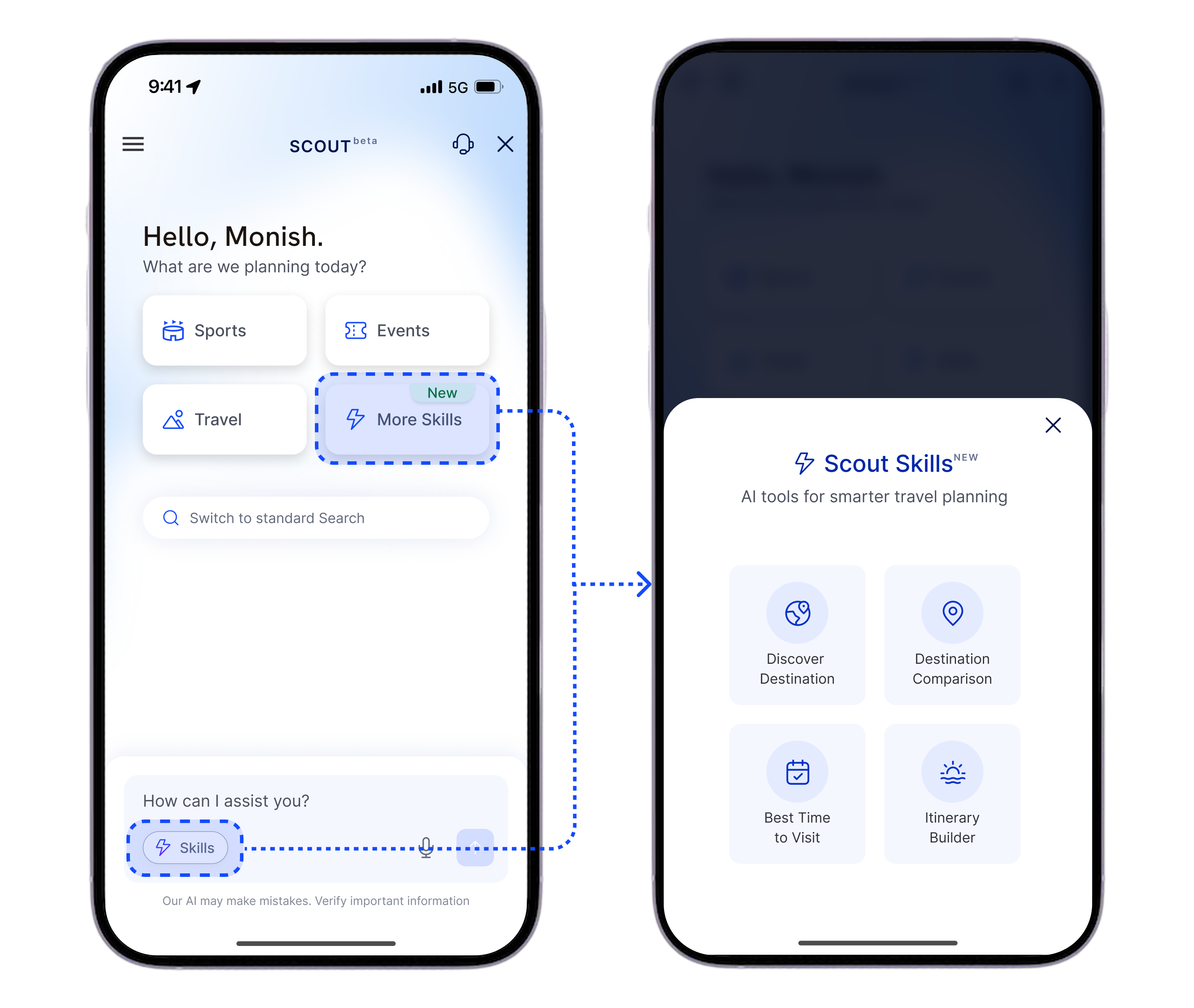
Every skill is one tap away from the Skills sheet.
The four skills
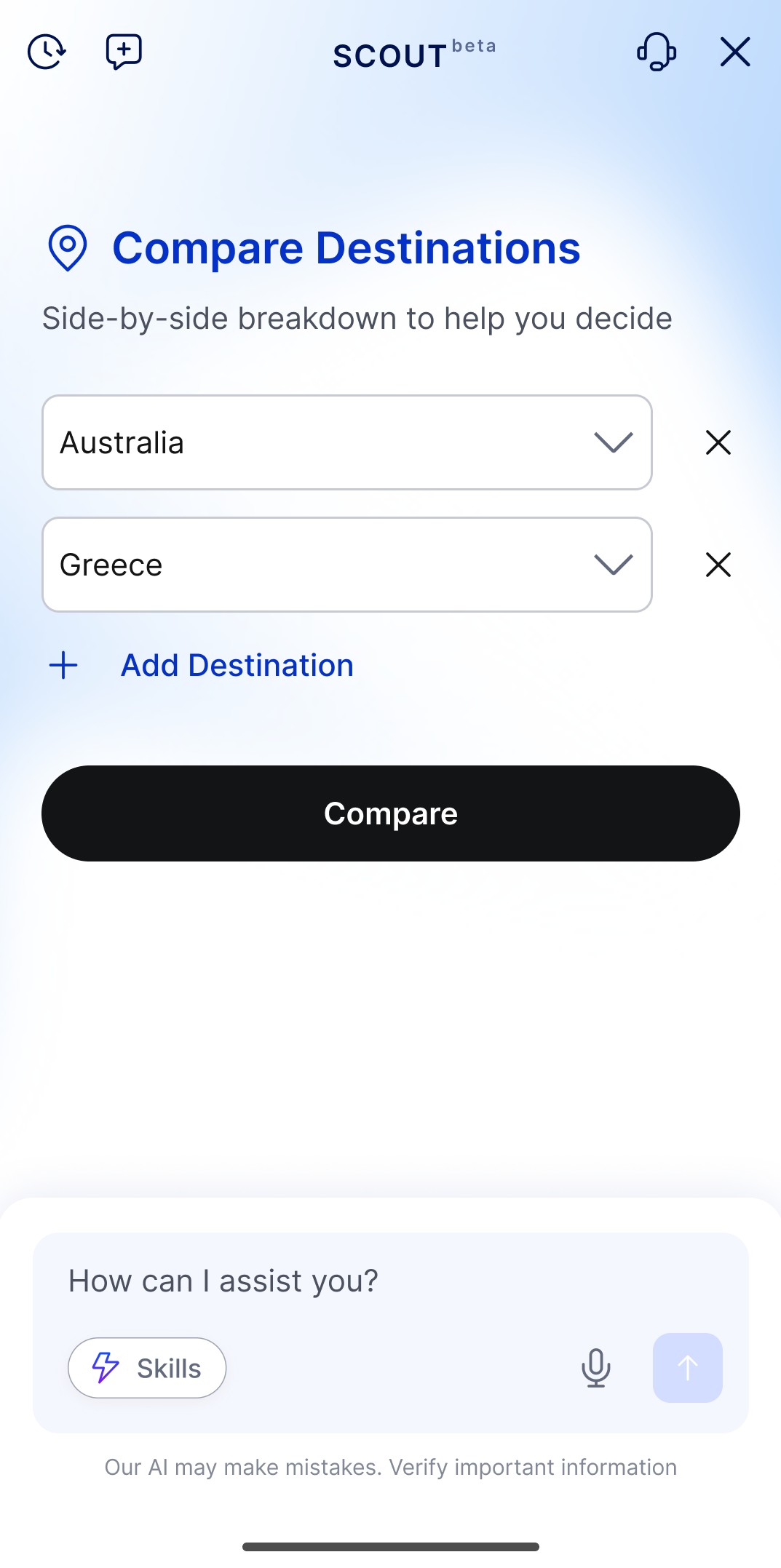
01 · Destination Comparison
Compare destinations across cost, events, travel time and experience.
"Compare Australia and Greece for a holiday trip."
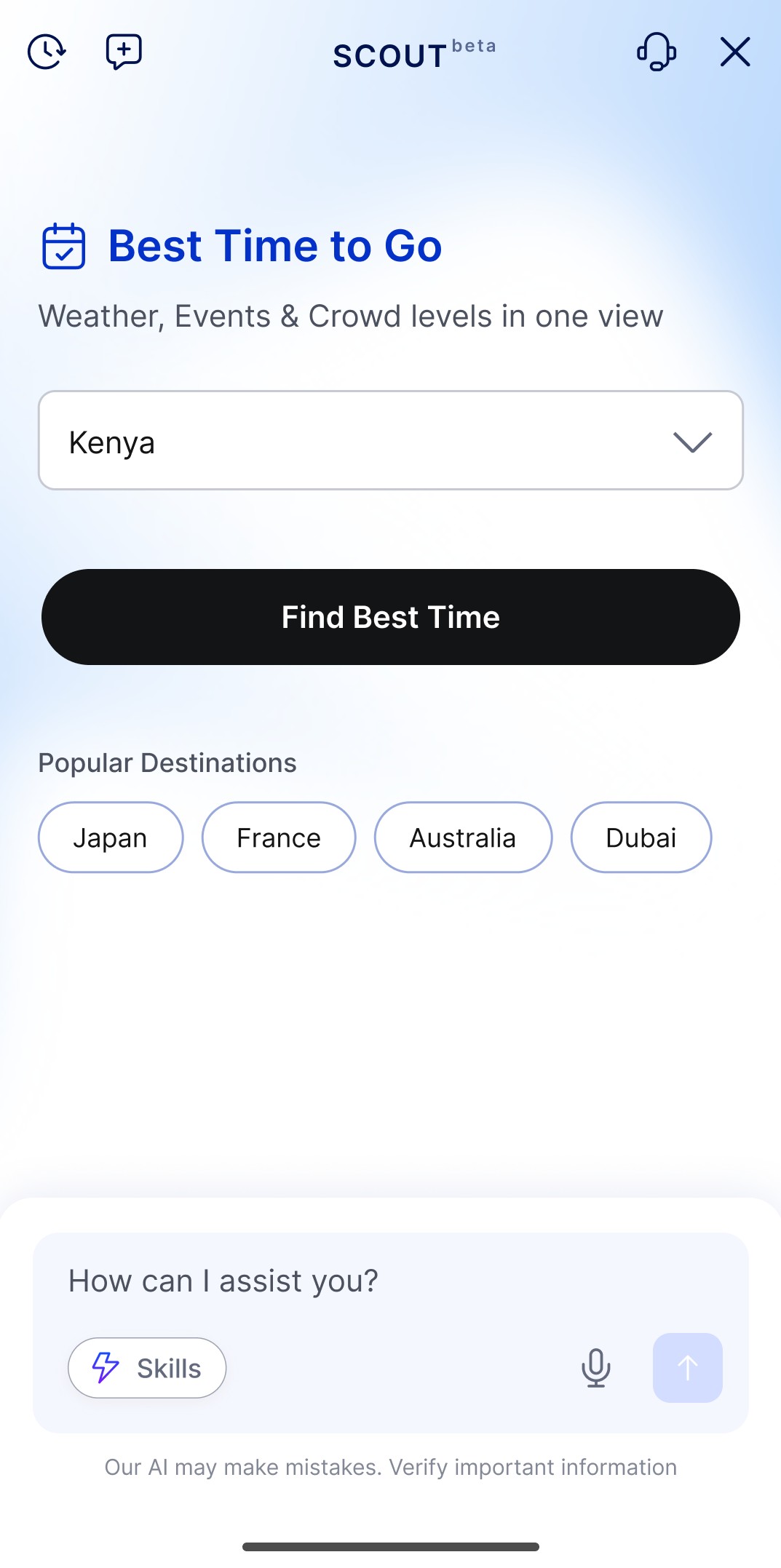
02 · Best Time to Visit
Find the best travel period based on season, weather, events and other factors.
"When's the best time to visit Kenya?"
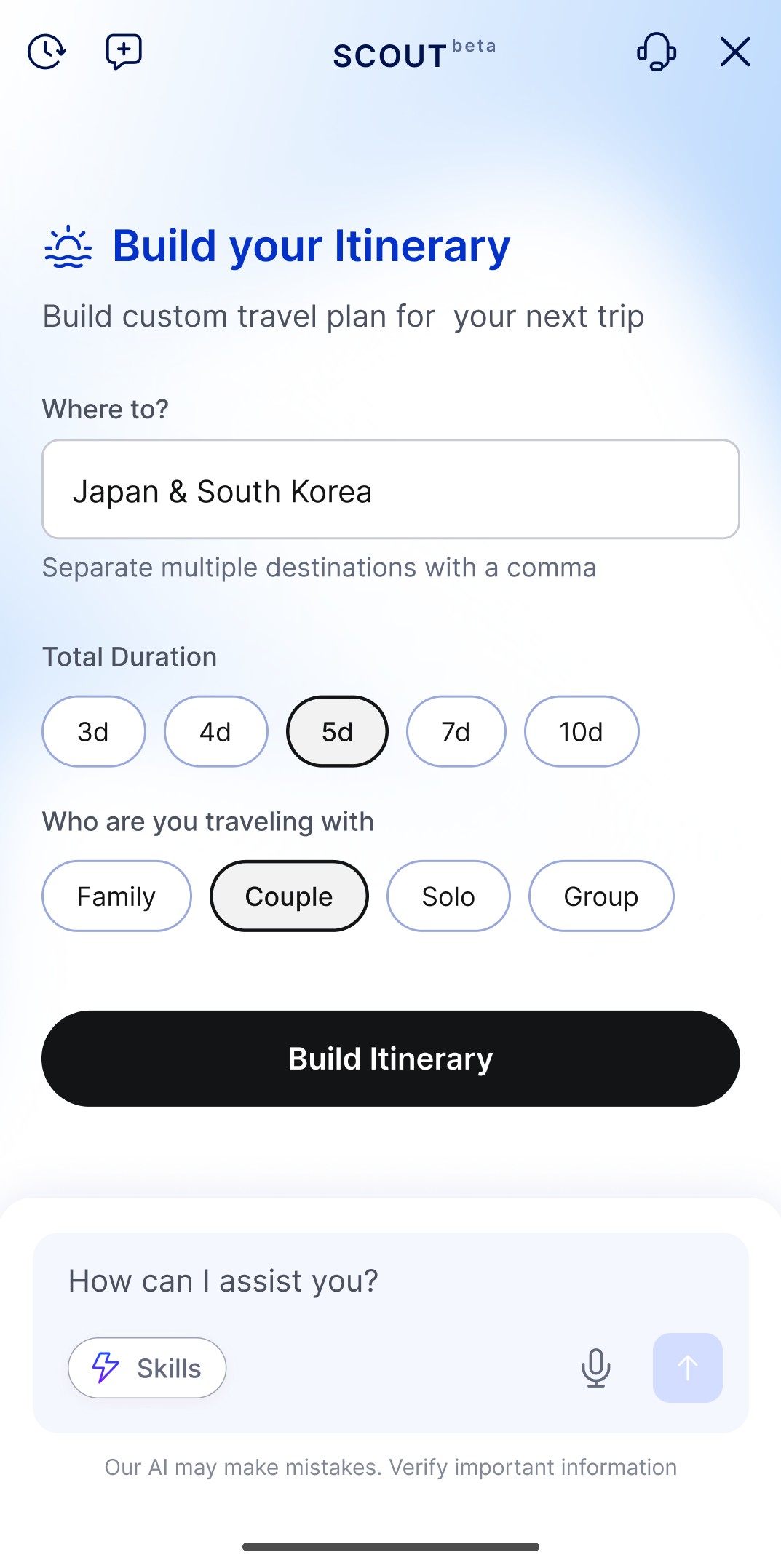
03 · Itinerary Builder
Create a day-by-day plan using destination, dates and traveller preferences.
"Plan a 5-day trip to Japan and South Korea."
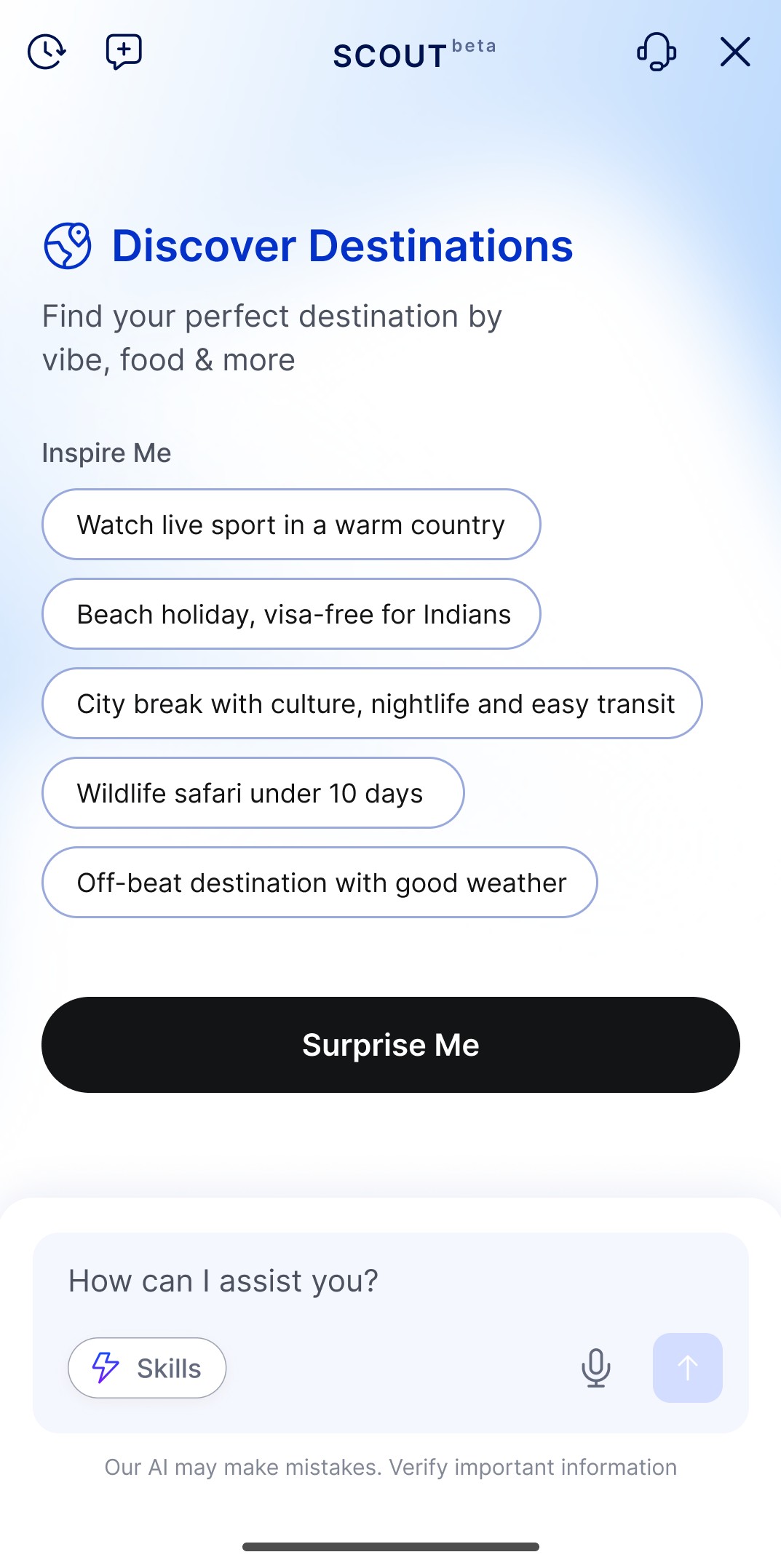
04 · Discover Destinations
Describe the type of trip you want and get matching destinations from the DreamSetGo catalogue.
Compare destinations in one flow
Choose destinations, compare them side by side, explore more detail and get a recommendation.
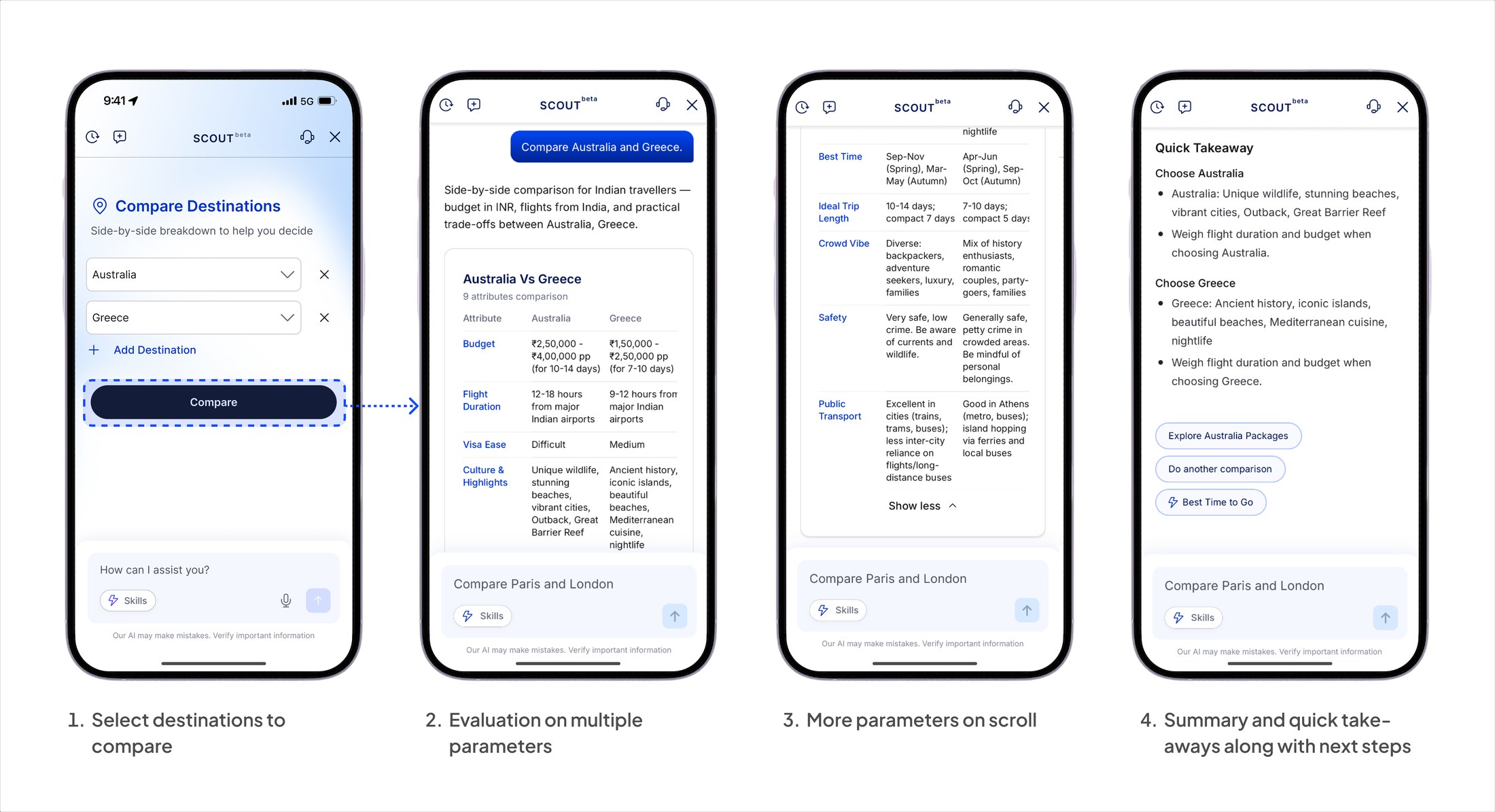
Entry, comparison table, expanded detail, and the takeaway that recommends a destination and offers the next step.
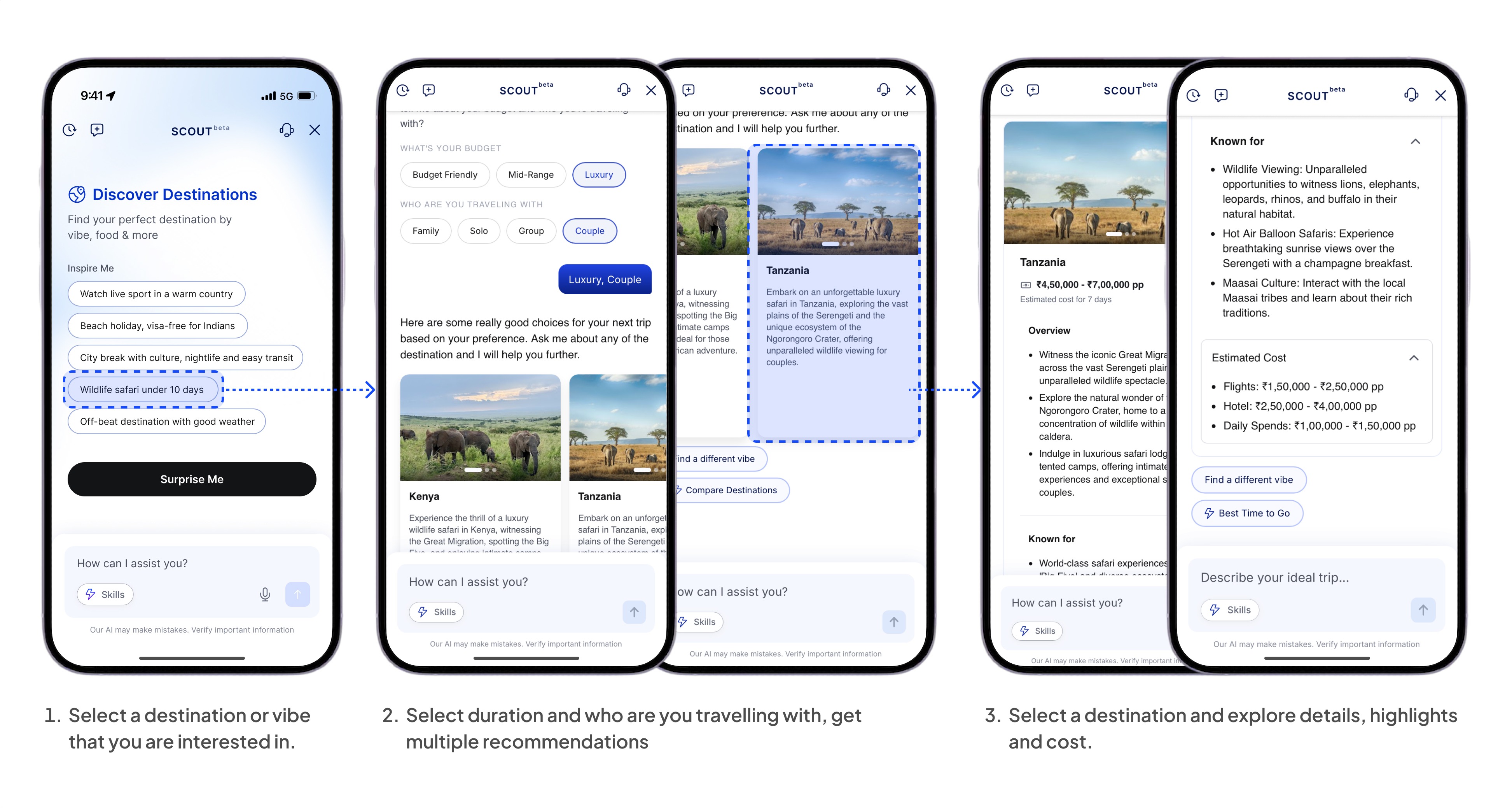
Find a destination that fits
Travellers choose a travel style and answer a few questions about budget and travel group. Scout then suggests destinations that match. They can explore highlights, costs and packages before deciding.
Designed for every conversation state
Scout handles the moments between questions and answers so travellers always know what to do next.
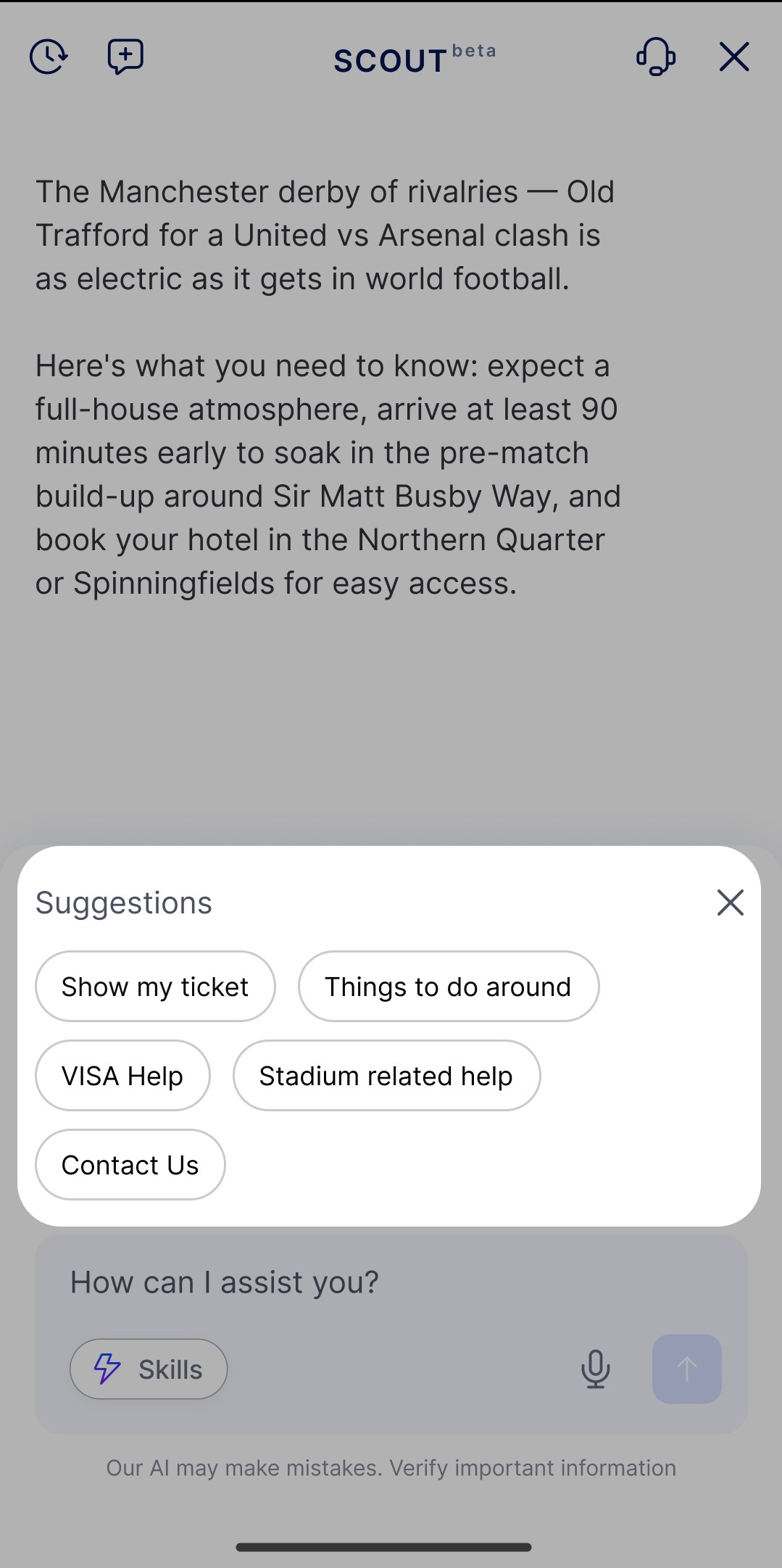
Suggested actions
Every response can include relevant actions, reducing the need to type.
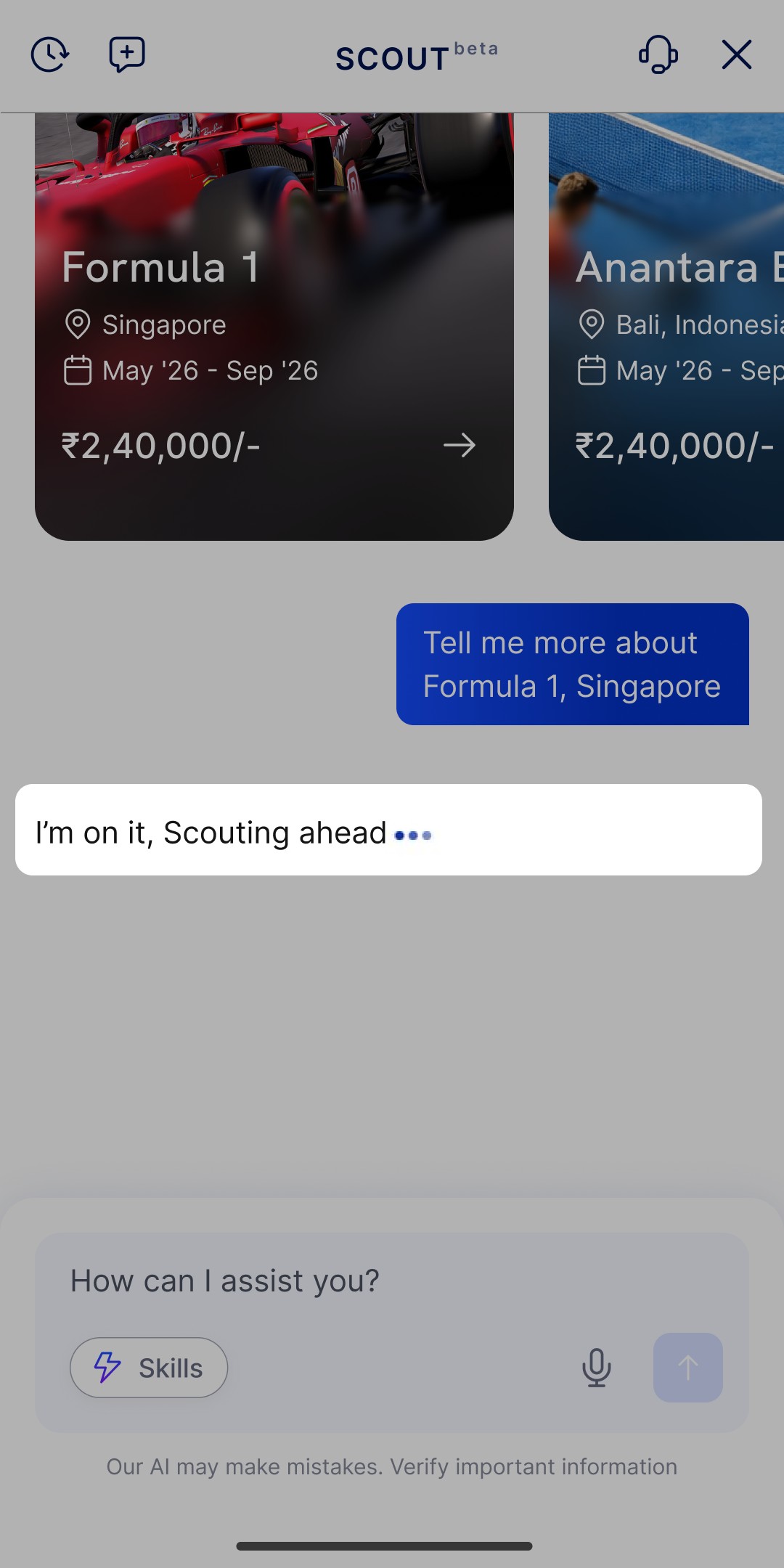
Loading
Scout explains when it is working instead of showing an empty loading state.
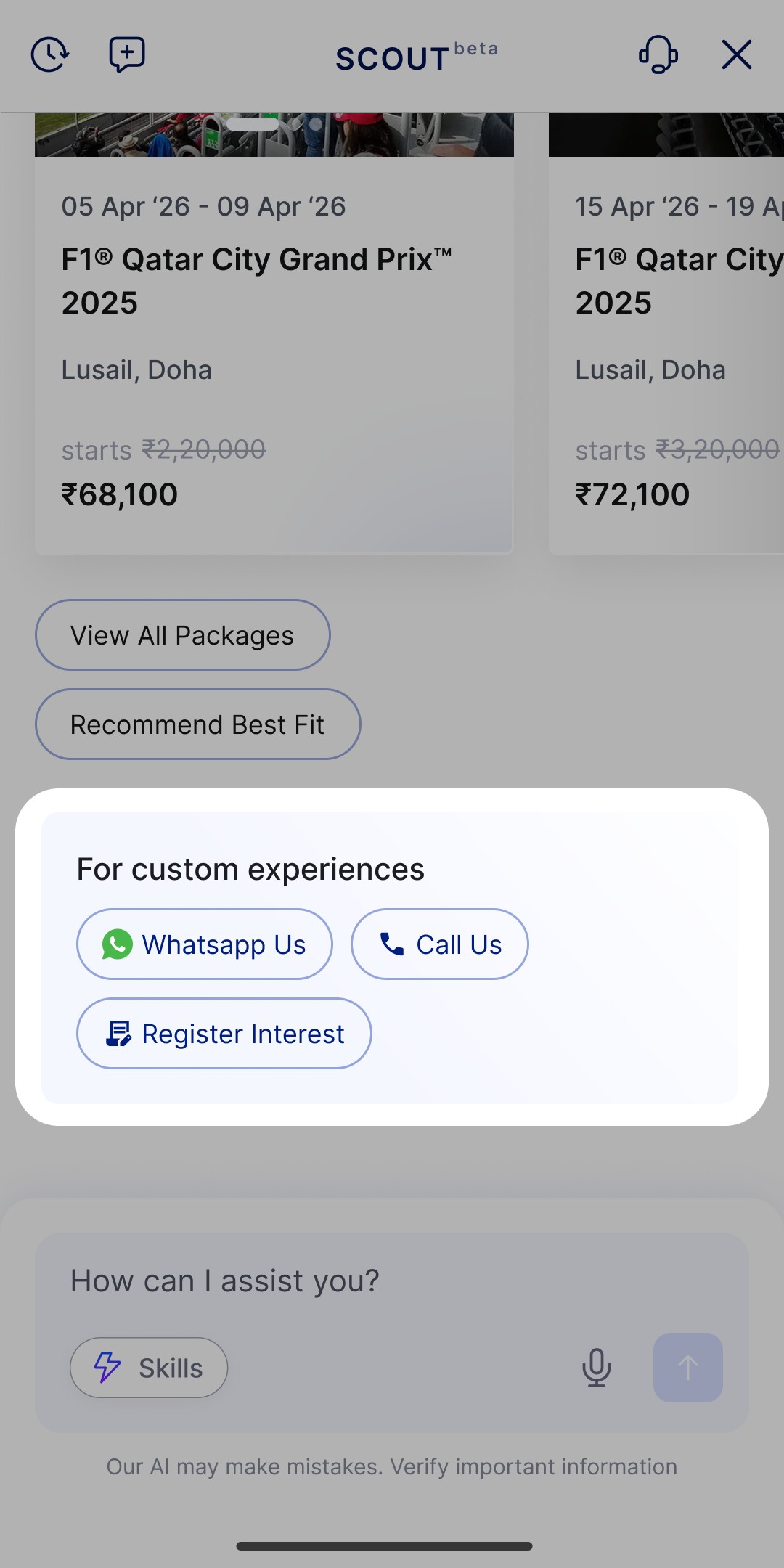
Human handoff
When Scout cannot resolve a request, travellers can contact the DSG team through WhatsApp, phone or an interest form.
One component system across Scout
Scout uses a reusable set of components for different types of responses. The data changes, while the interaction stays familiar.
- Learn the interface once and every skill reads the same way.
- Design and QA effort stays flat as skills grow.
- A new capability ships as a payload, not a new front-end build.
One reply, assembled
You tap→
Scout structures→
Product appears→
Next step offered
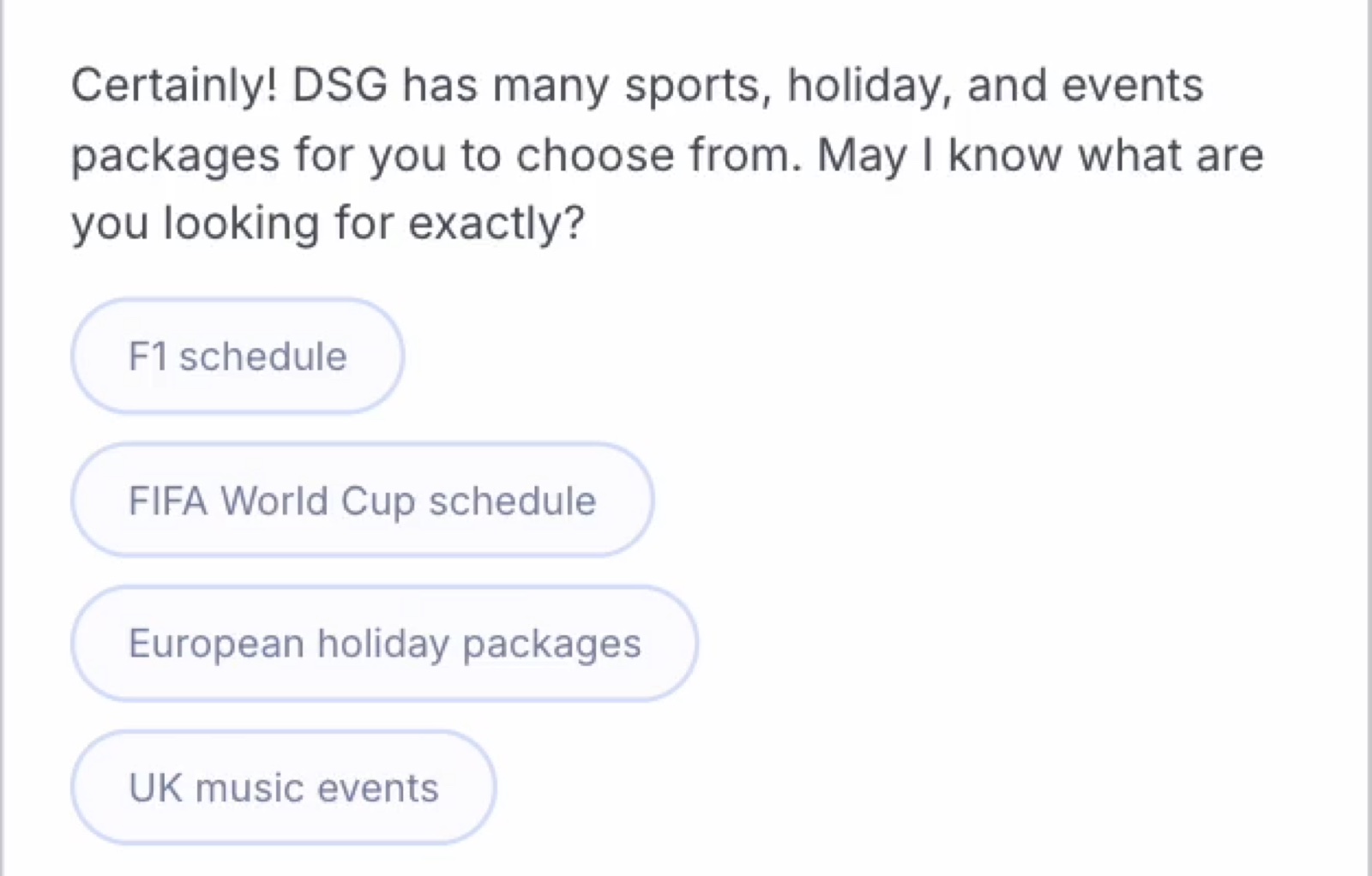
Part 01 · Move forward
Prompt chips
Suggested actions that help travellers continue without typing.
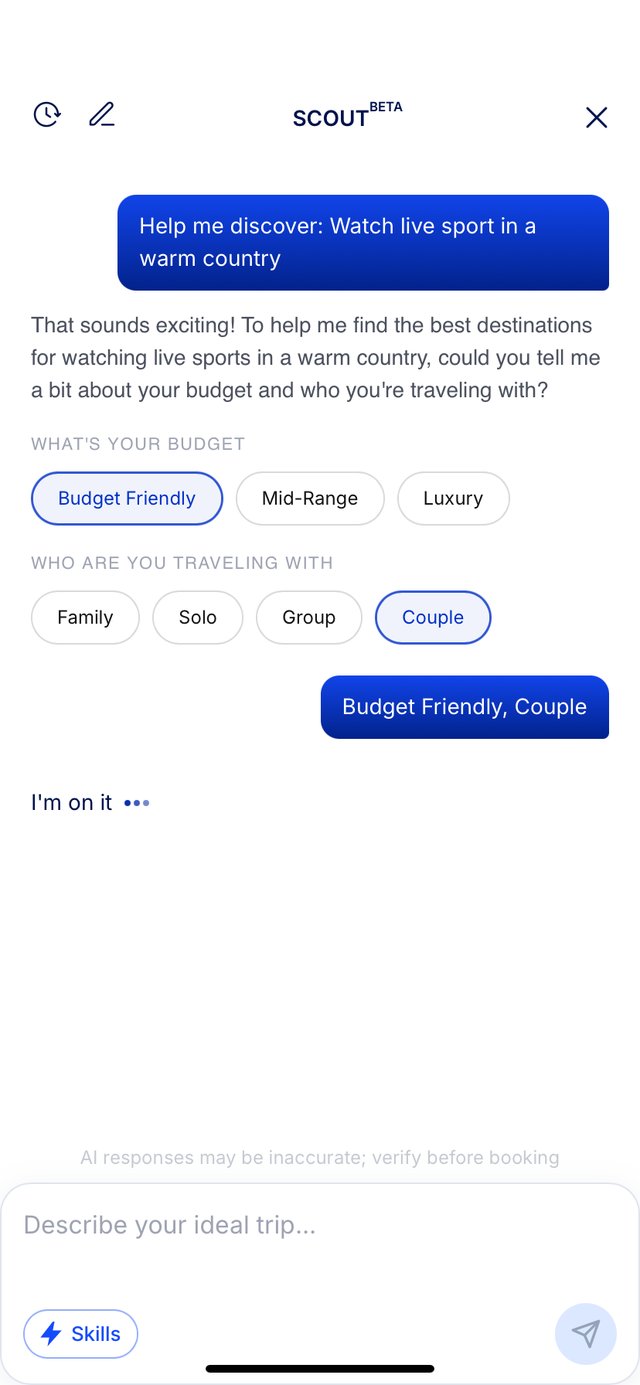
Part 02 · Say it with taps
Preference picker
Capture budget, travel style and travel group through quick selections.
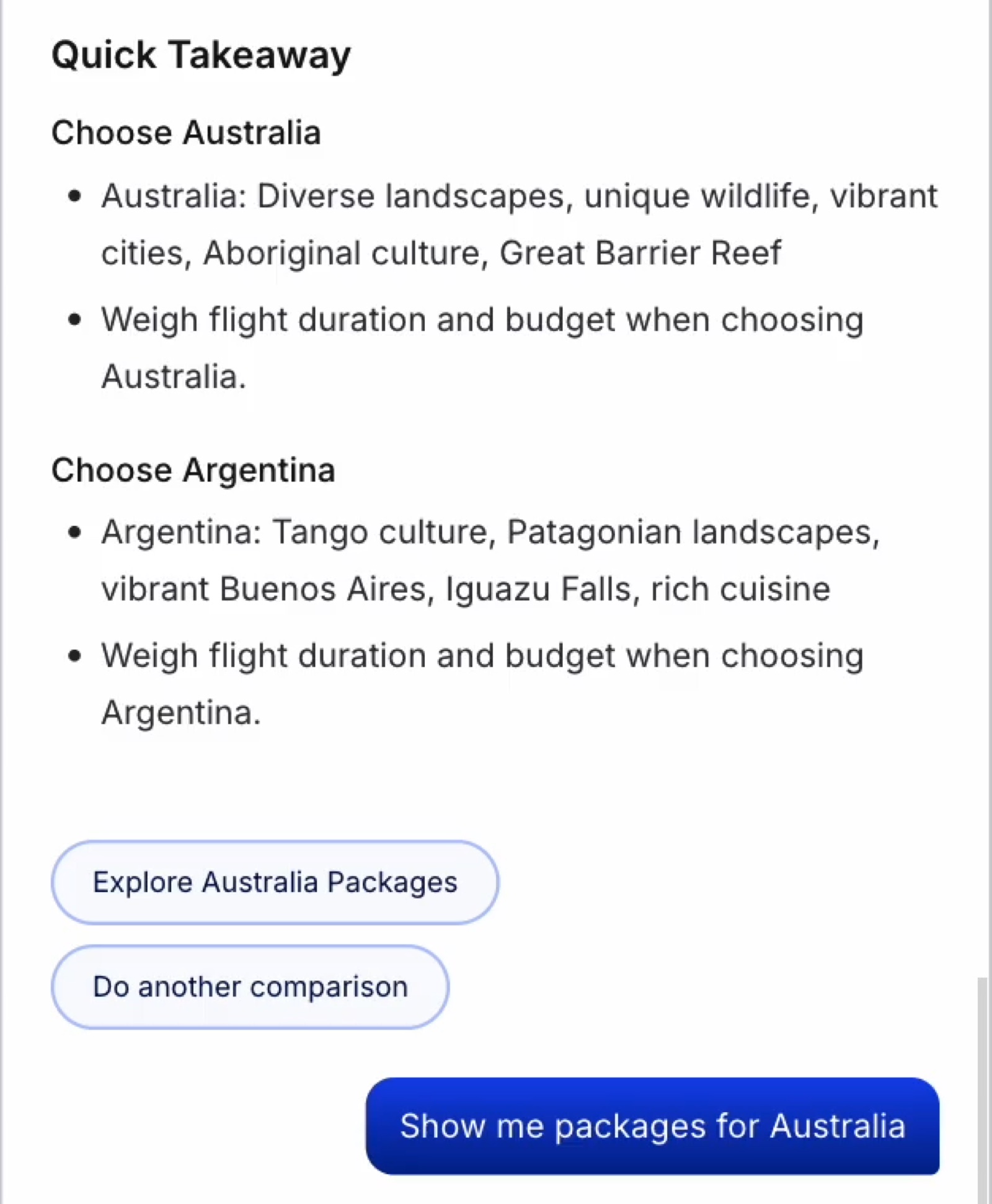
Part 03 · Decide at a glance
Comparison takeaway
Summarise the key differences and recommendation.
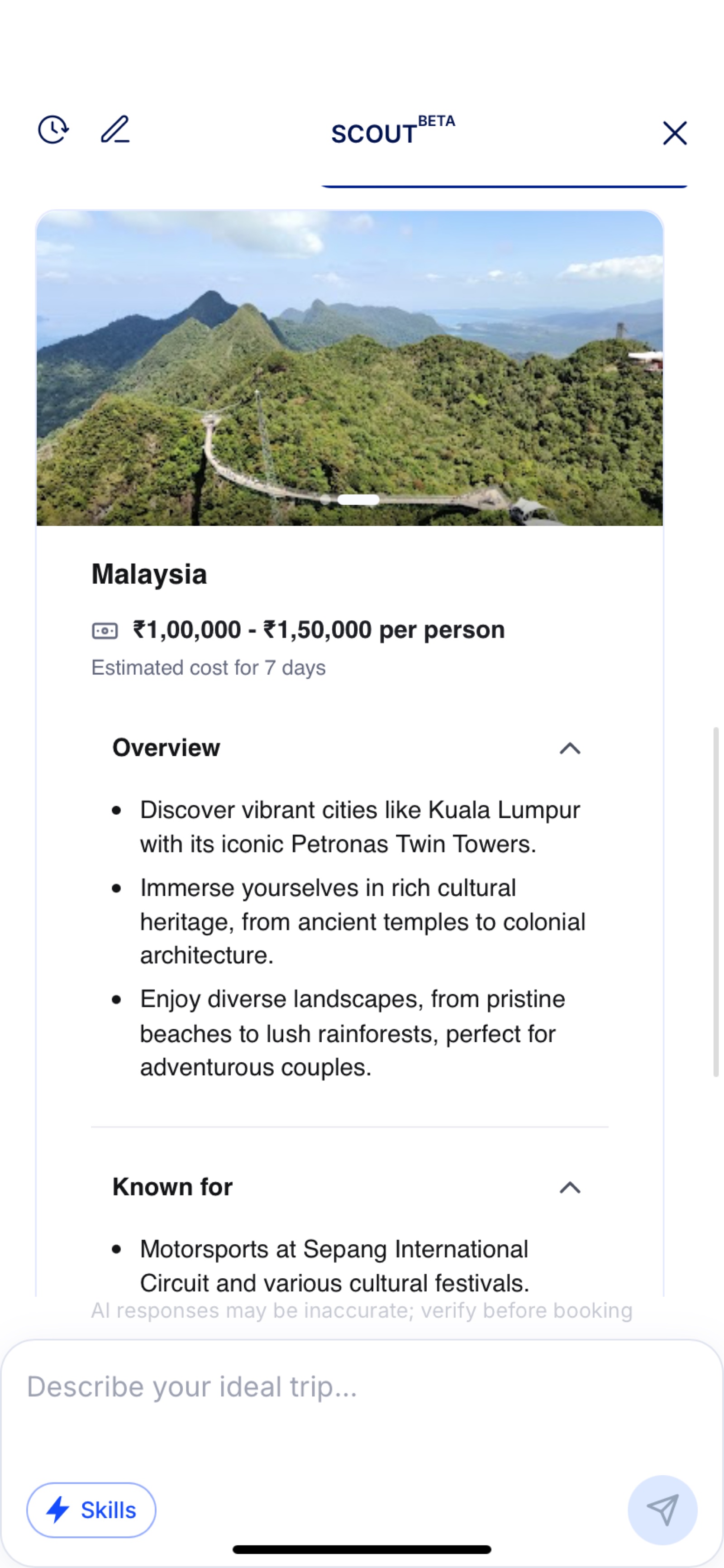
Part 04 · Go deeper
Expandable information
Show additional detail only when requested.
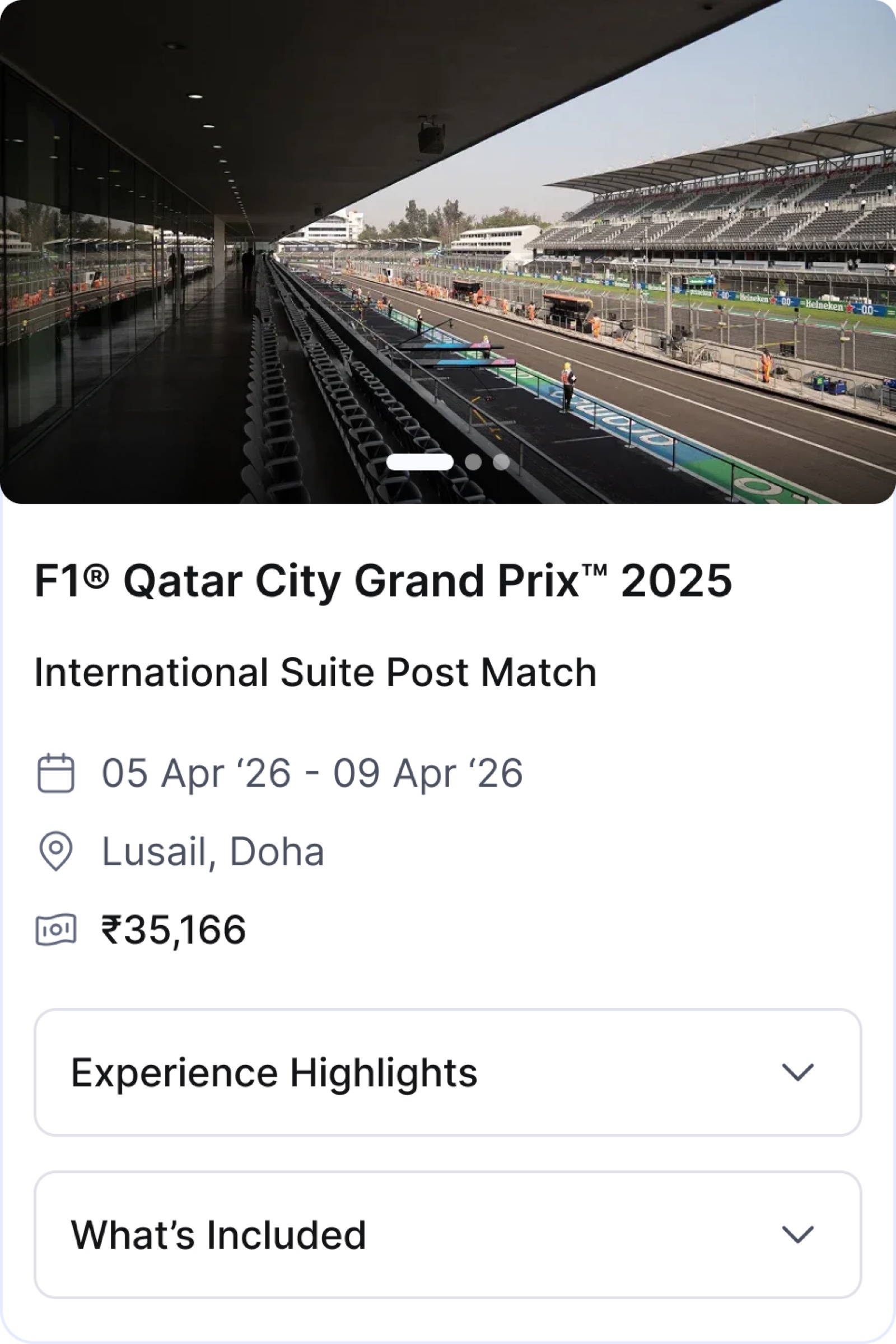
Part 05 · Meet the product
Package summary
Bring real DSG packages, pricing and booking information into the conversation.
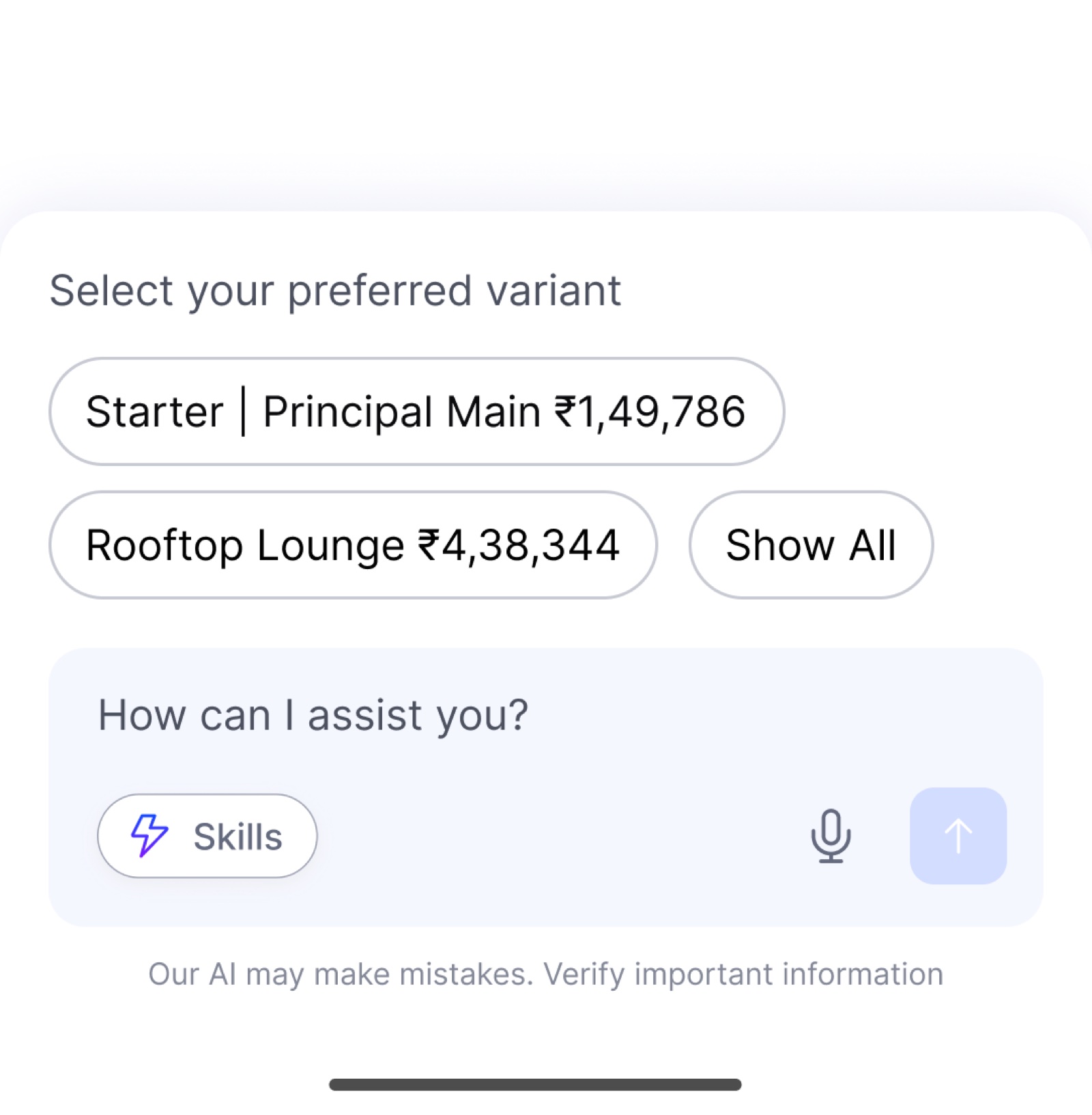
Part 06 · Choose a tier
Variant selector
Let travellers compare and choose package options.
How We Built It
A system that scales with every new skill
Scout needed a flexible interface that could support new skills without designing a new screen for each one.
Together, they created a reusable foundation where new skills could be added without rebuilding the experience.
AGUI
Assembles the right interface using reusable components.
Orchestration
Understands the request and routes it to the right skill.
RAG
Brings in relevant information from DreamSetGo's catalogue and trusted travel sources.
Every component had a clear specification
Each AGUI component included its layout, typography, copy, states and interactive behaviour, along with a live preview.
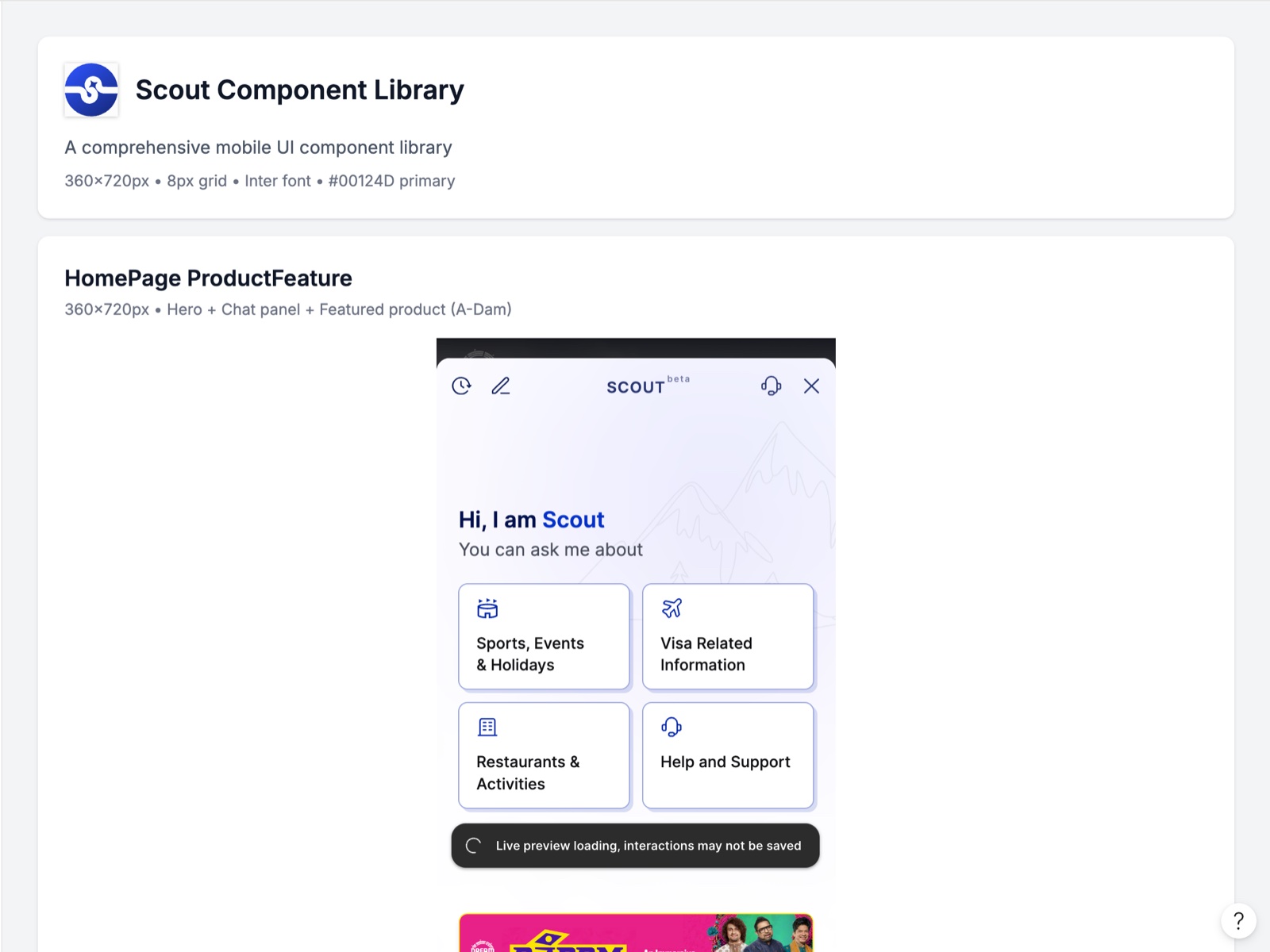
One shared library
A common grid, type scale and colour system across components.
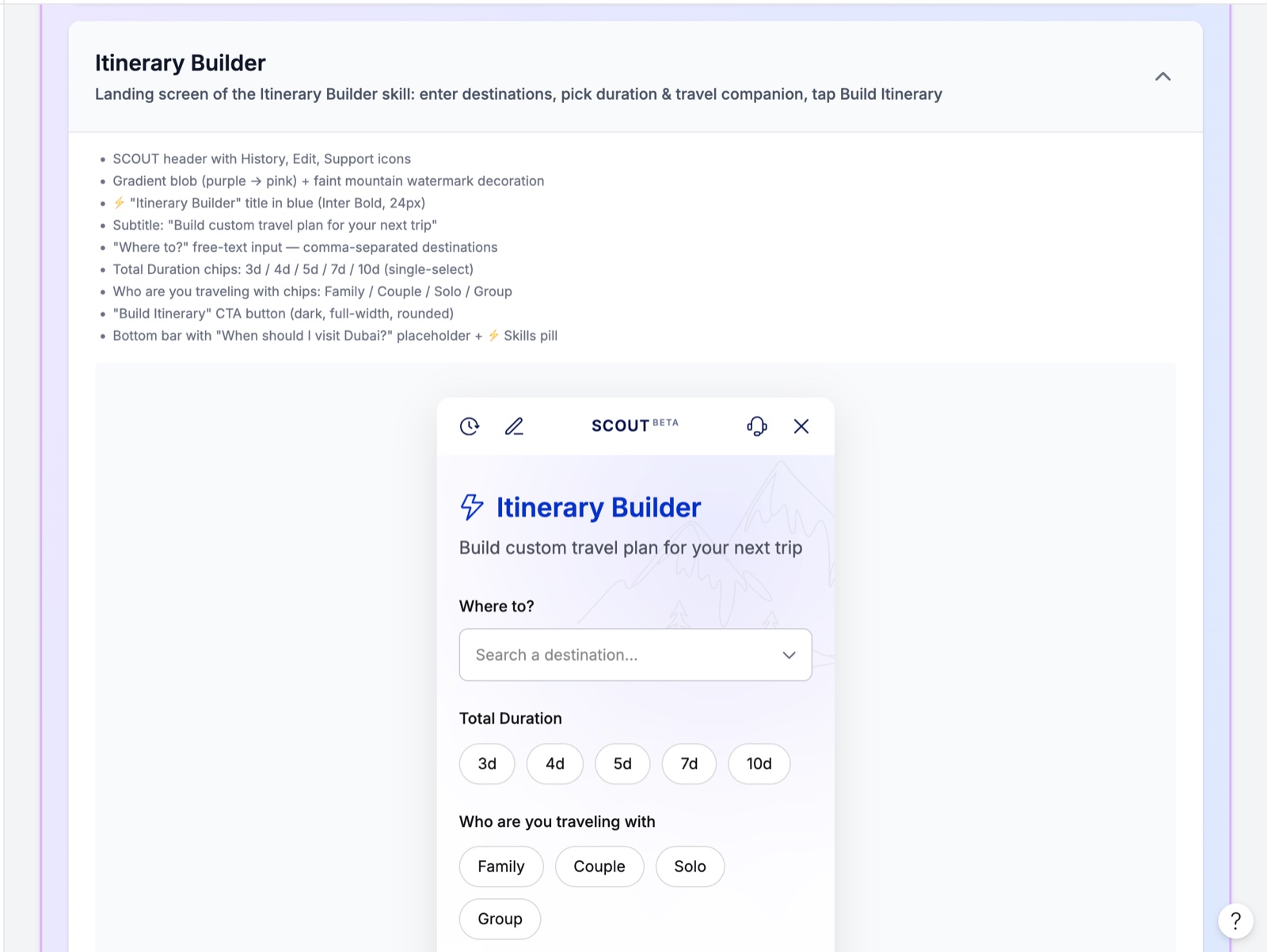
Every detail documented
Fields, labels and behaviours were defined for engineering.
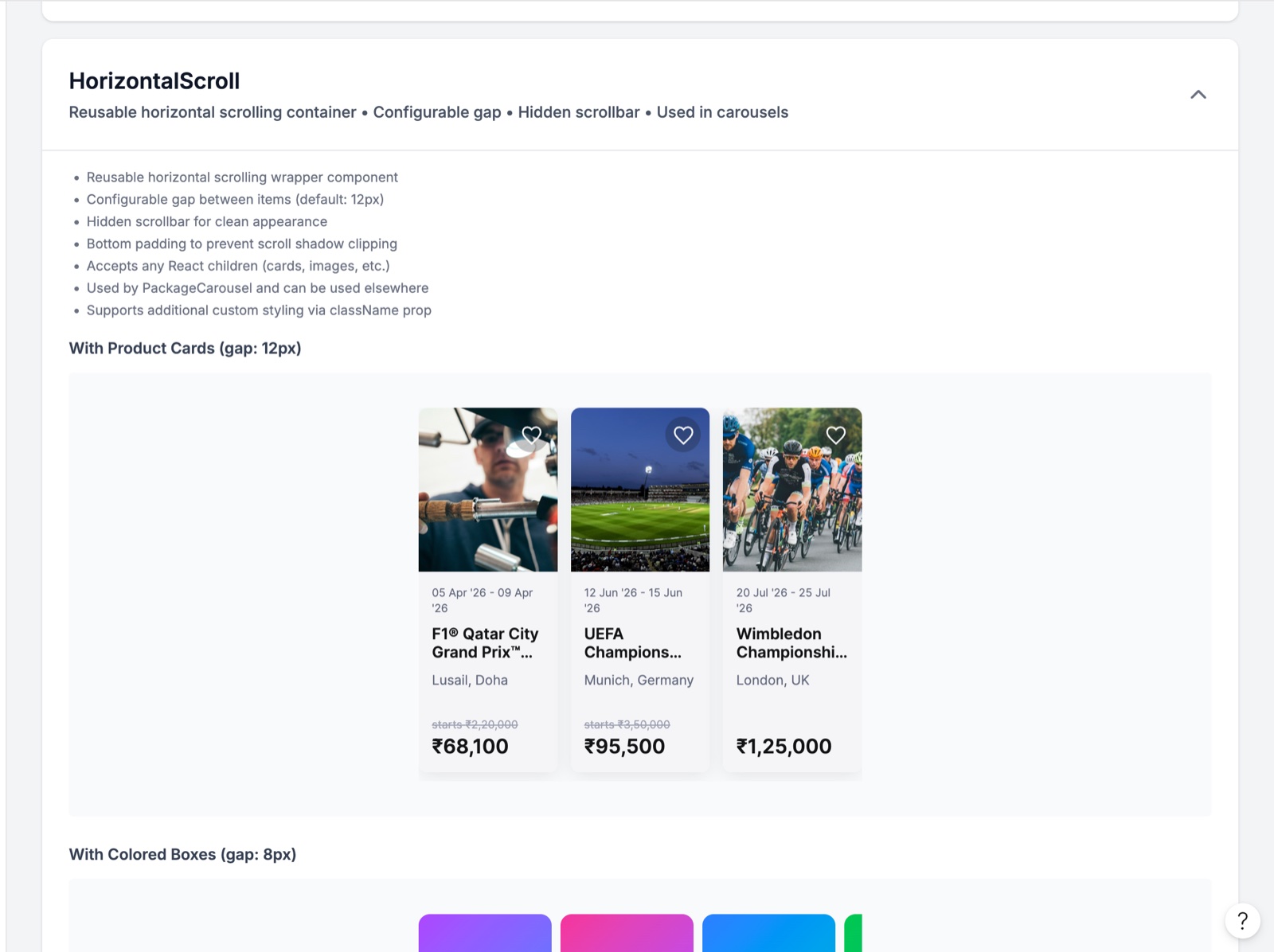
Reusable components
Common patterns such as carousels were built once and reused.
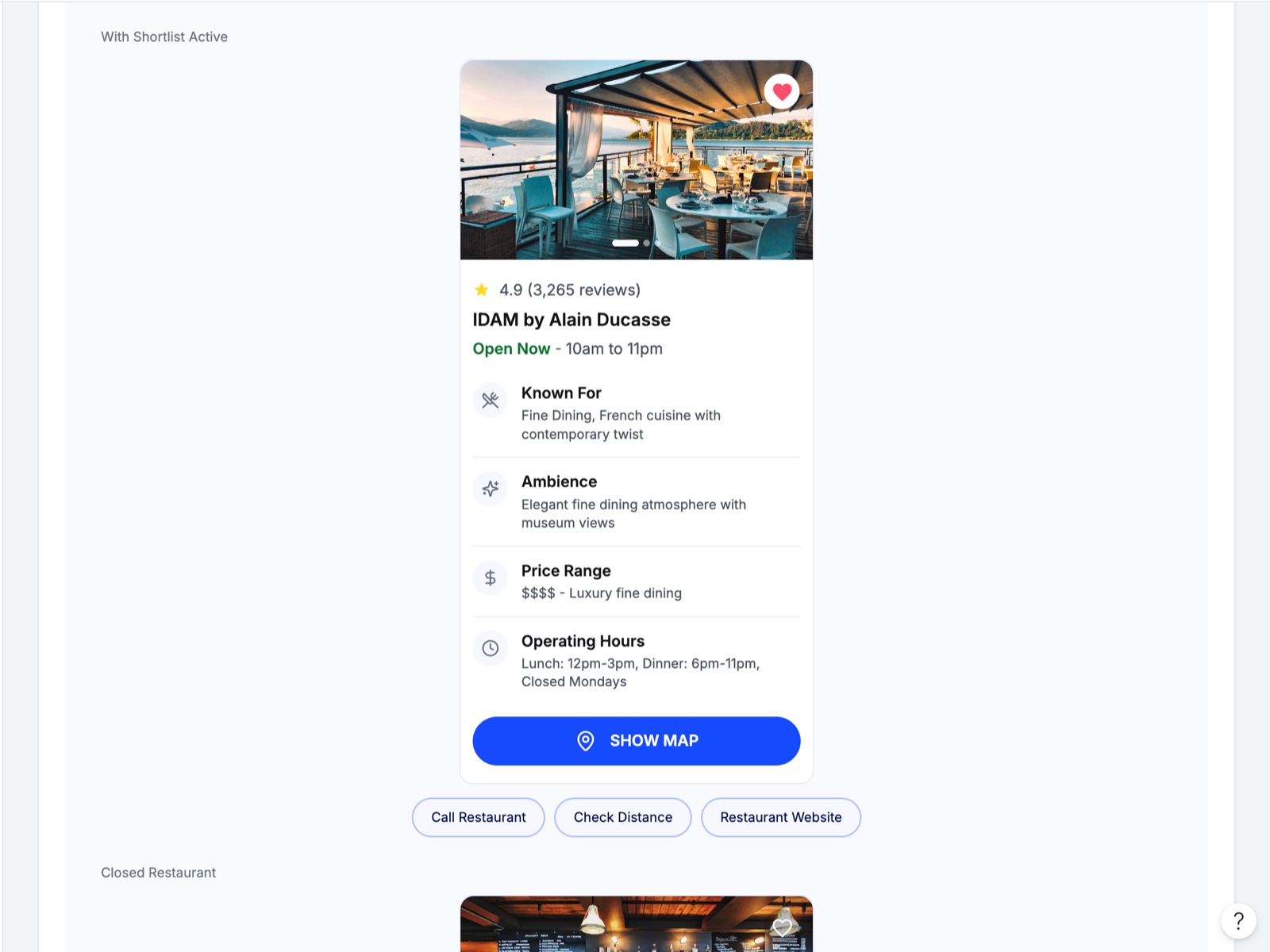
All states designed
Default, selected, closed and other states were defined before development.
The Identity
Creating Scout's identity
The name Scout connects naturally with travel, sports and exploration. Scout refers to exploring ahead, finding the right option and helping travellers navigate their choices. It also shaped the product's voice and language.
The product uses Scout as an active verb:
"I'm on it, scouting ahead."
"Scouting the best events for you…"
"Want me to scout some alternatives?"
"Found a path worth taking."
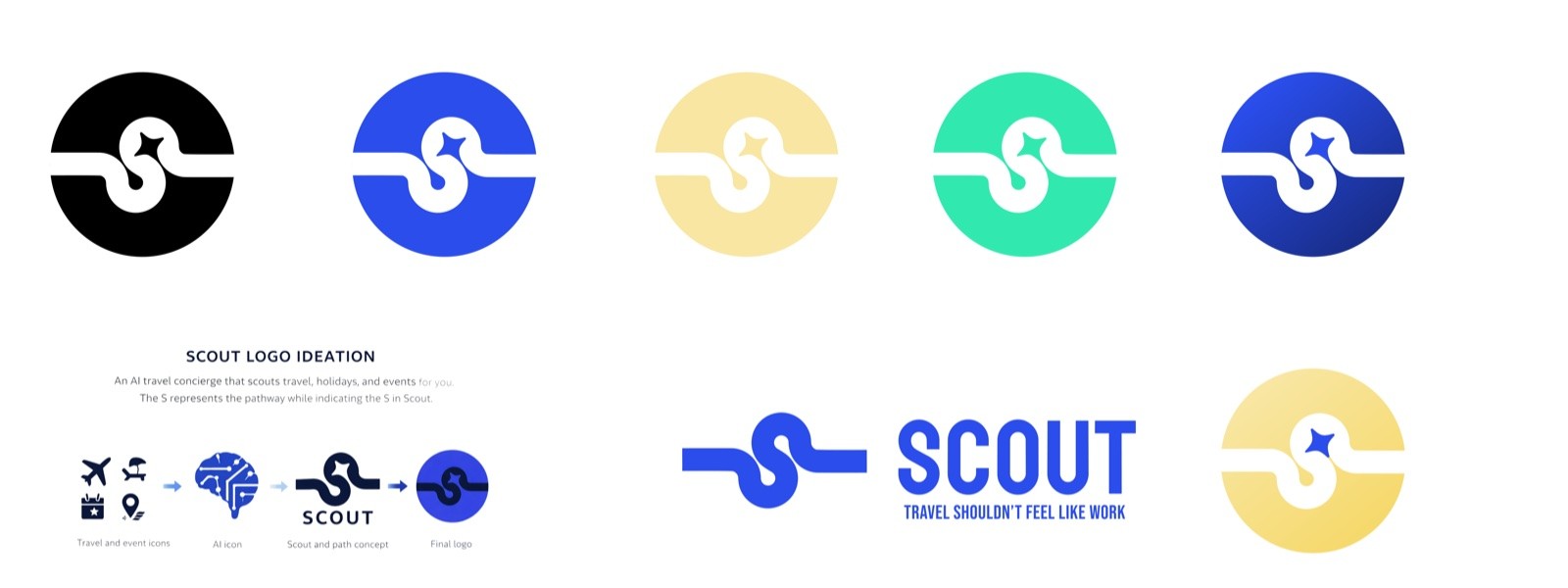
The mark
The logo uses an "S" shaped like a continuous path, combining the name with the idea of exploration.
The Outcomes
Results
Measured after the MVP shipped.
6 weeks
Concept to shipped MVP
Concept to shipped MVP, live in the DSG app.
30s → 7s
Average query response time
After improving RAG retrieval and catalogue indexing.
3% → 12%
Weekly users asking Scout questions
After adding event and product-specific queries.
25%
Of queries came from two skills
Destination Comparison and Itinerary Builder.
60% less
Frontend development effort
Through AGUI.
50% less
Design bandwidth
Through component reuse across skills.
Explore other projects
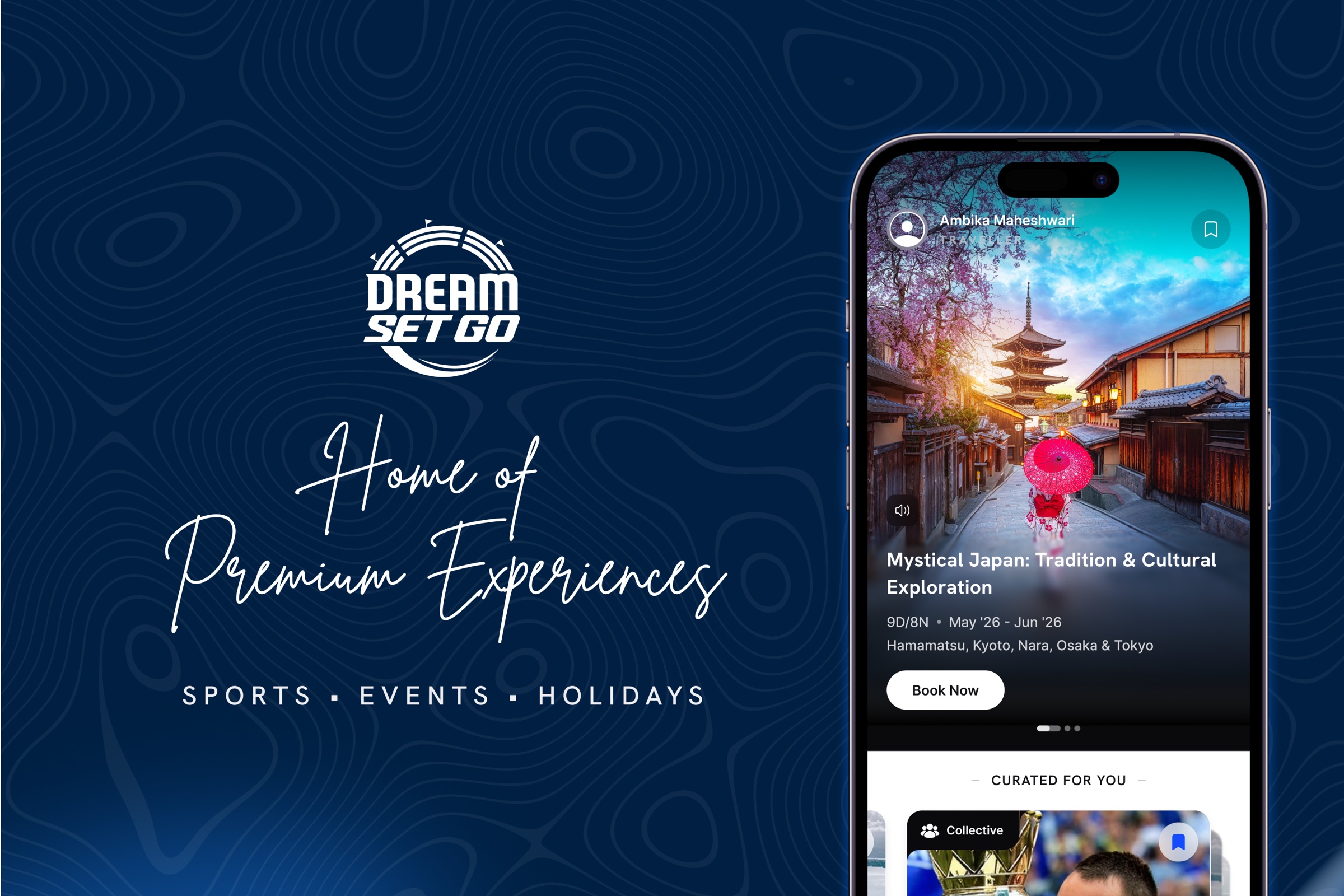
DreamSetGo
An app and a website for premium sports hospitality, events and travel, built as a new online vertical inside an offline business.

DreamPlay
A casual gaming app, built on a modular platform and establishing a distinct visual DNA for gaming fans.
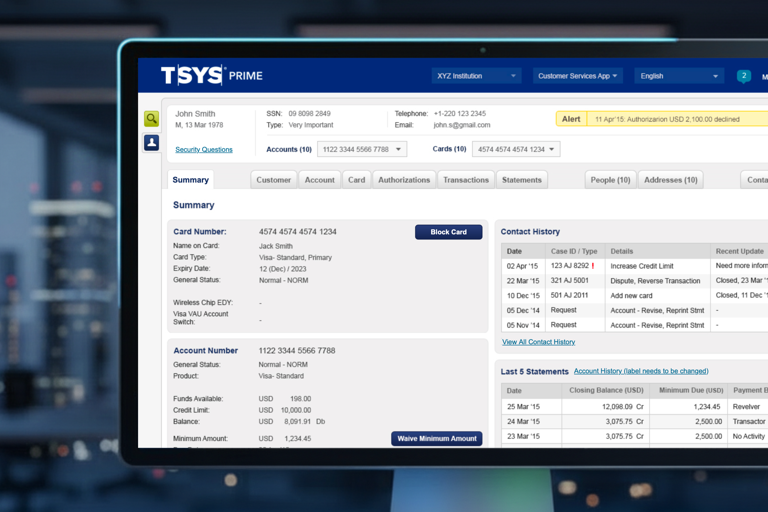
TSYS Prime
A CRM redesign for TSYS, one of the world's largest platforms for banks and credit card companies for managing the credit card ecosystem.
Social Gameplay
A social ecosystem spanning Feed, Chat, Challenges and Network Tracking, built across five years on India's largest fantasy platform.